
Paste it into your site
You install it by pasting a code snippet or with the WordPress plugin. You can have several, one per brand or domain, each with its own documentation and line of business.
Choose which cookies you accept. You can change this at any time from “Cookie settings” in the footer of every page. Cookie policy
They make the website work, remember this choice, keep your conversation with the assistant if you use it, and protect the forms from bots. They cannot be turned off.
Google Analytics 4 measures statistically how the website is used. During your visit we also remember the campaign source you arrived with and the page you landed on, so we know which campaigns and pages bring us requests. Cloudflare Web Analytics counts visits without cookies and does not depend on this option.
Google Ads measures which requests reach us from our ads (conversions), without your name, email or phone number. It is not loaded until you accept this category.
Web chatbot
A chatbot on your website or portal that answers with your documentation and FAQs, at any hour. When it does not know, the conversation moves to your inbox and a person takes over.
One single record
WhatsApp “What time are you coming?”Teams Message from the supervisorCall Transcribed and summarizedCommunication and customers
You install it by pasting a code snippet or with the WordPress plugin. You can have several, one per brand or domain, each with its own documentation and line of business.
It answers with your manuals, spec sheets and FAQs, not with what the model thinks it knows. Document search cites where each answer comes from.
Public and private FAQs, with customer and contract variables. They are suggested to customers as they type on the portal and to agents as they reply, and the chatbot uses them to answer.
When it does not know, or the visitor asks, the conversation appears in the unified inbox. An agent accepts it and picks up where the chatbot left off, with the whole conversation in front of them.
It collects the visitor’s name, company and needs, and saves them as a lead. With Sales AI, the lead arrives already classified and scored for the right sales rep.
It is a hybrid chatbot: it routes the conversation to specialized agents and uses MCP tools to query your systems. Every operation is logged with its cost.
How it works
Manuals, spec sheets and procedures, by line of business, plus your public and private FAQs.
With a code snippet or the WordPress plugin. One per brand or domain.
It answers with your documentation and collects visitor details as a lead.
The conversation lands in the unified inbox, and an agent accepts it and takes over.
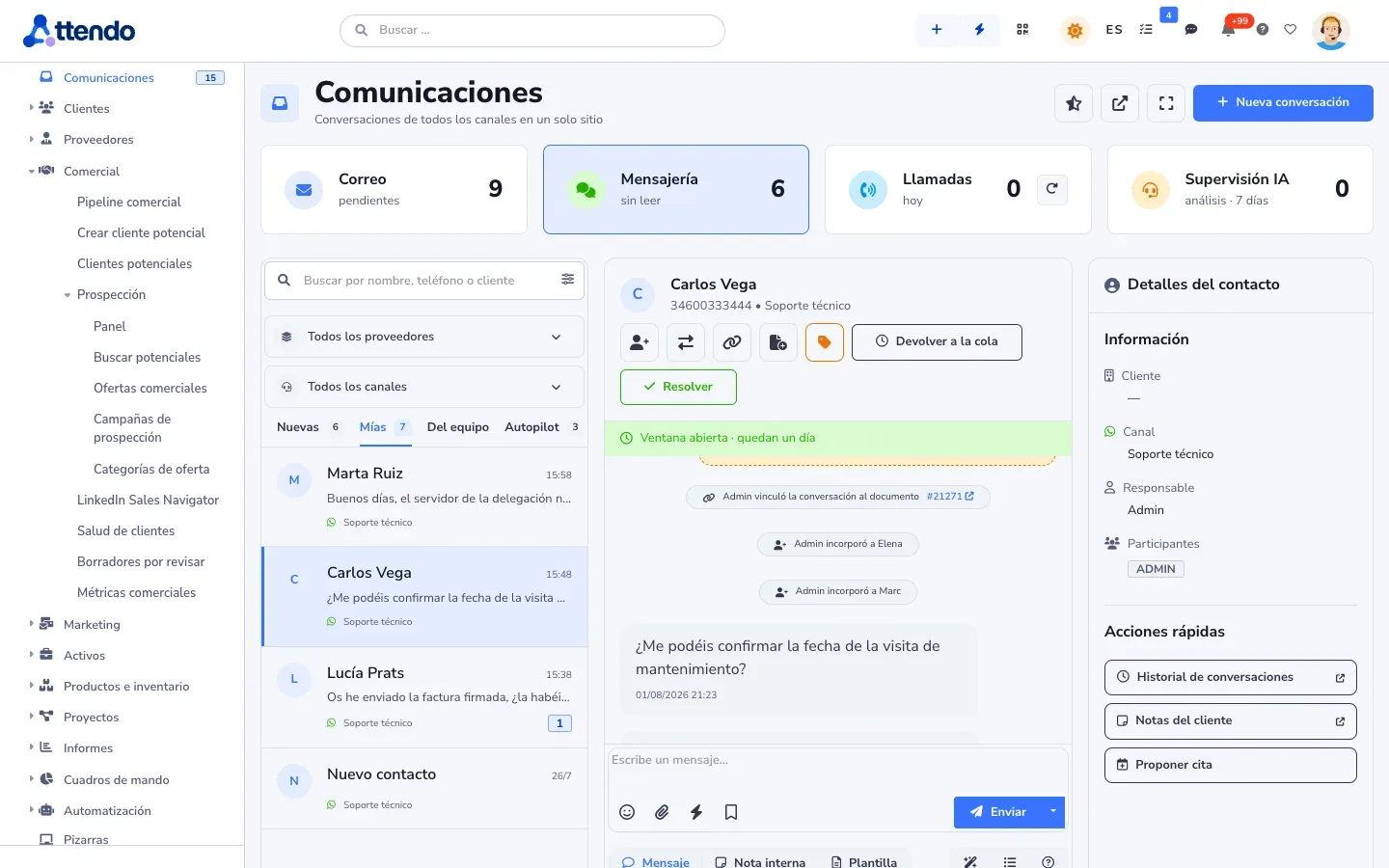
marIA answers with your documentation and FAQs, qualifies the visitor and hands the conversation to a person. In the inbox, it suggests replies to the agent while they help the customer. Every operation is logged with who ran it, the model and its cost. Spending has the monthly cap you set, and when it is reached marIA stops.
Where it is used
Industry solutions
Honesty
It is not a standalone live chat: it is one more channel in the unified inbox, alongside the rest of the customer’s conversations.
Works with
One single record
WhatsApp “What time are you coming?”Teams Message from the supervisorCall Transcribed and summarizedEmail, WhatsApp, Teams, Meet, web chat and phone, channel by channel
See CommunicationsReport an issue
Send Ticket TK-2490 createdCustomers, subcontractors and partners reach their own, your brand
See Customer, supplier and partner portalsThe AI in attendo CRM: clean, scored leads with a draft reply
See Sales AIFlows, phased processes with approvals, and AI inside the flow
See Flows and AI-FlowsGlossary
Support and service
Omnichannel support
Omnichannel means that every channel a customer uses to contact you feeds the same record and the same conversation.
Support and service
FRT
First response time is how long your team takes to send a meaningful reply after a ticket comes in.
Support and service
Self-service portal
A customer portal is the web space where your customers check and open their requests without having to call you.
Customer service
Omnichannel inbox · shared team inbox
A unified inbox is the screen where a team receives and answers conversations from all its channels, such as WhatsApp, website chat or Teams, without switching programs.
Frequently asked questions
It does not need to be. It looks up your documentation at the moment it answers, and cites where the answer comes from.
Yes. You create several, one per brand or domain, each with its own documentation.
It hands the conversation to a person. It appears in the unified inbox, and an agent accepts it and carries on with the whole conversation in front of them.
Yes, with its plugin. On any other website, by pasting a code snippet.
Yes. It collects visitor details and saves them as a lead; with Sales AI, classified and scored.
Request a demo
We will show it to you with your own document types and the way you work. If it is not a fit, we will tell you.
Would you rather talk first?