Cookies. We use technical cookies to make this website work and, if you accept, analytics and advertising cookies to measure our campaigns. Cookie policy
Cookie settings
Choose which cookies you accept. You can change this at any time from “Cookie settings” in the footer of every page. Cookie policy
TechnicalAlways on
They make the website work, remember this choice, keep your conversation with the assistant if you use it, and protect the forms from bots. They cannot be turned off.
Google Analytics 4 measures statistically how the website is used. During your visit we also remember the campaign source you arrived with and the page you landed on, so we know which campaigns and pages bring us requests. Cloudflare Web Analytics counts visits without cookies and does not depend on this option.
Google Ads measures which requests reach us from our ads (conversions), without your name, email or phone number. It is not loaded until you accept this category.
The service report gets closed on site, not on Friday
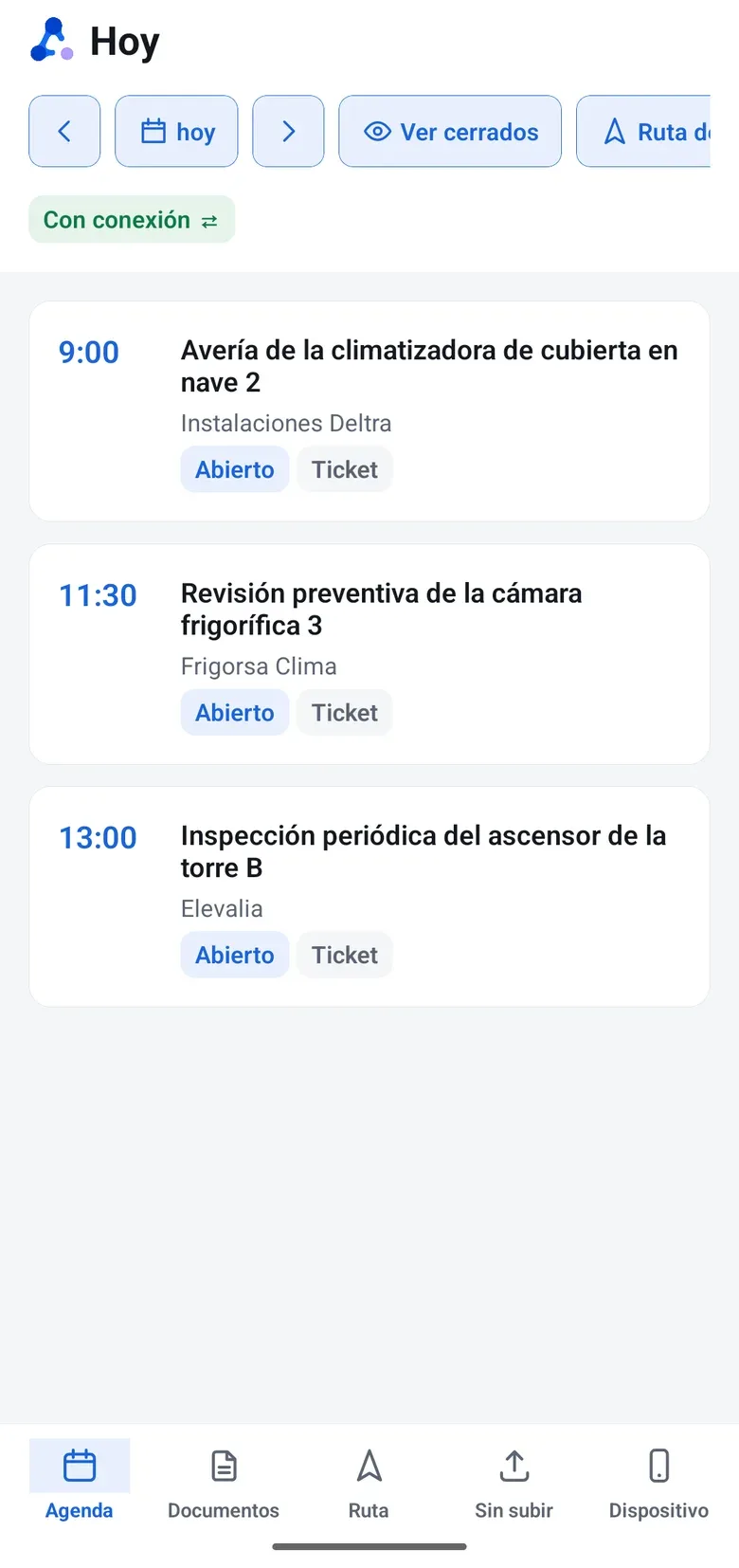
Your technicians carry their schedule, QR scanner, checklist, signature and timer on their phone, with or without coverage. And Field Radar shows who can resolve each service request and is nearby.
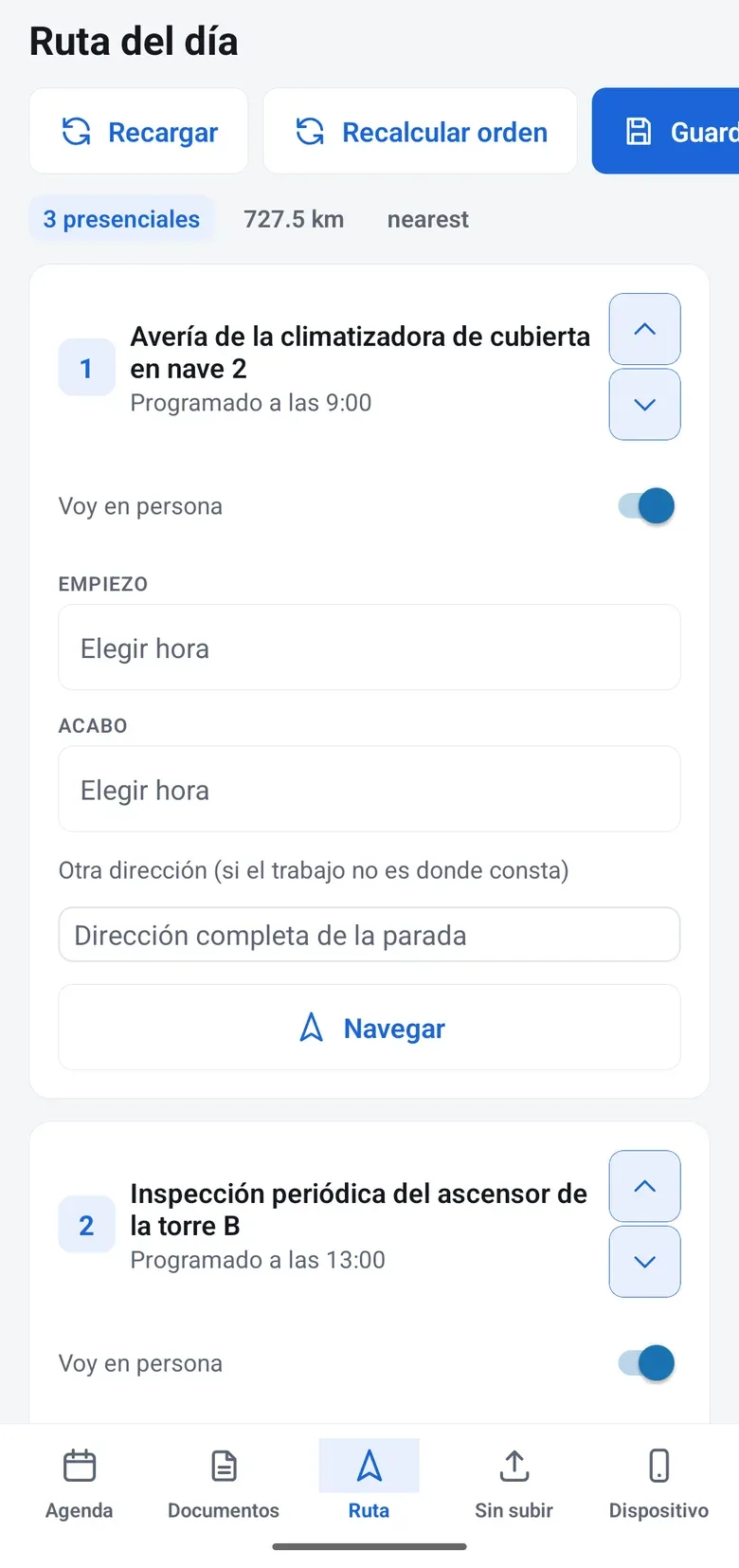
The schedule is ordered by time. In the Route tab, the stops come in the order you choose, with the time of each visit, and the technician can add jobs to the day’s route. Maps come from Here Maps and OpenStreetMap, and Navigate opens Google Maps, Waze or Apple Maps.
Everything on the spot
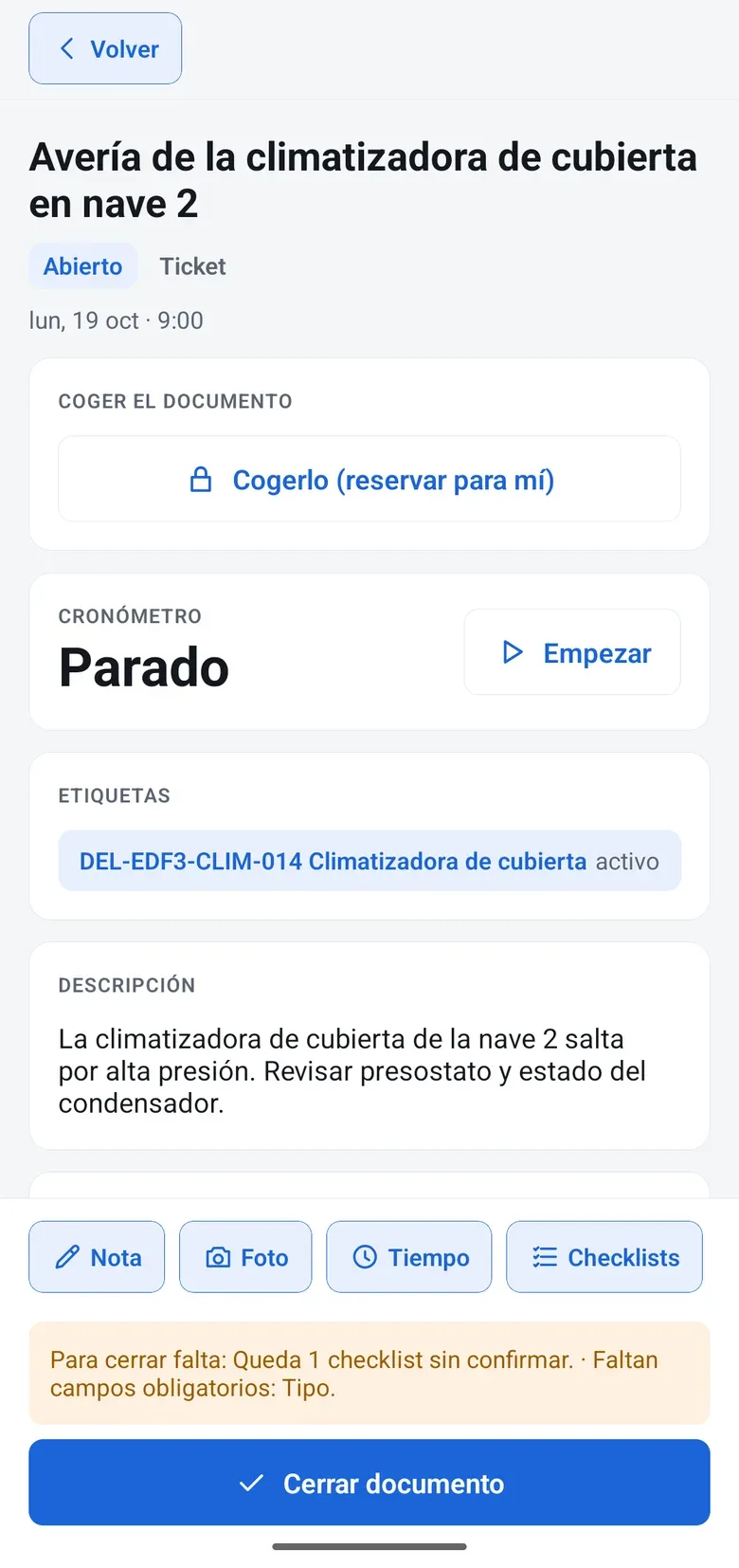
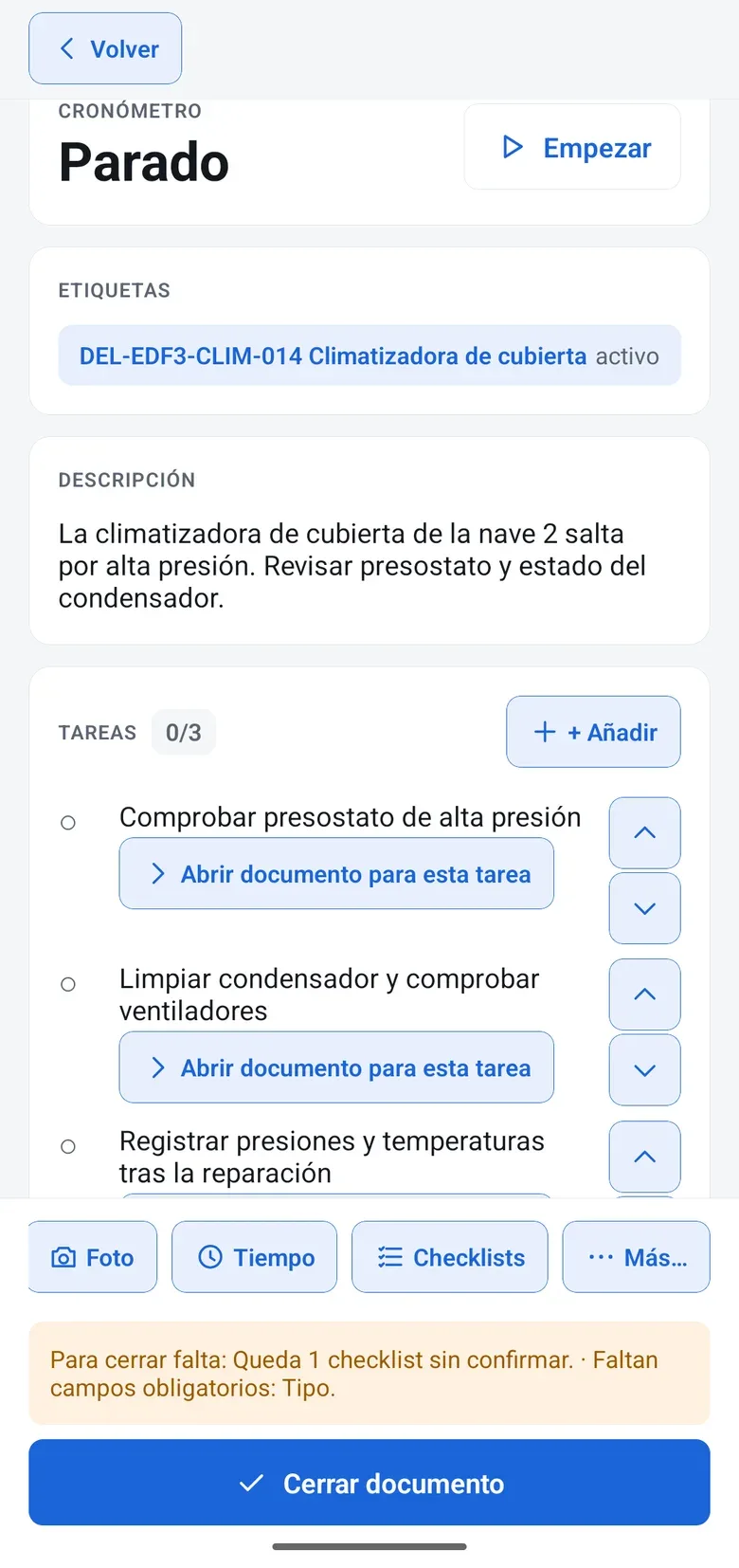
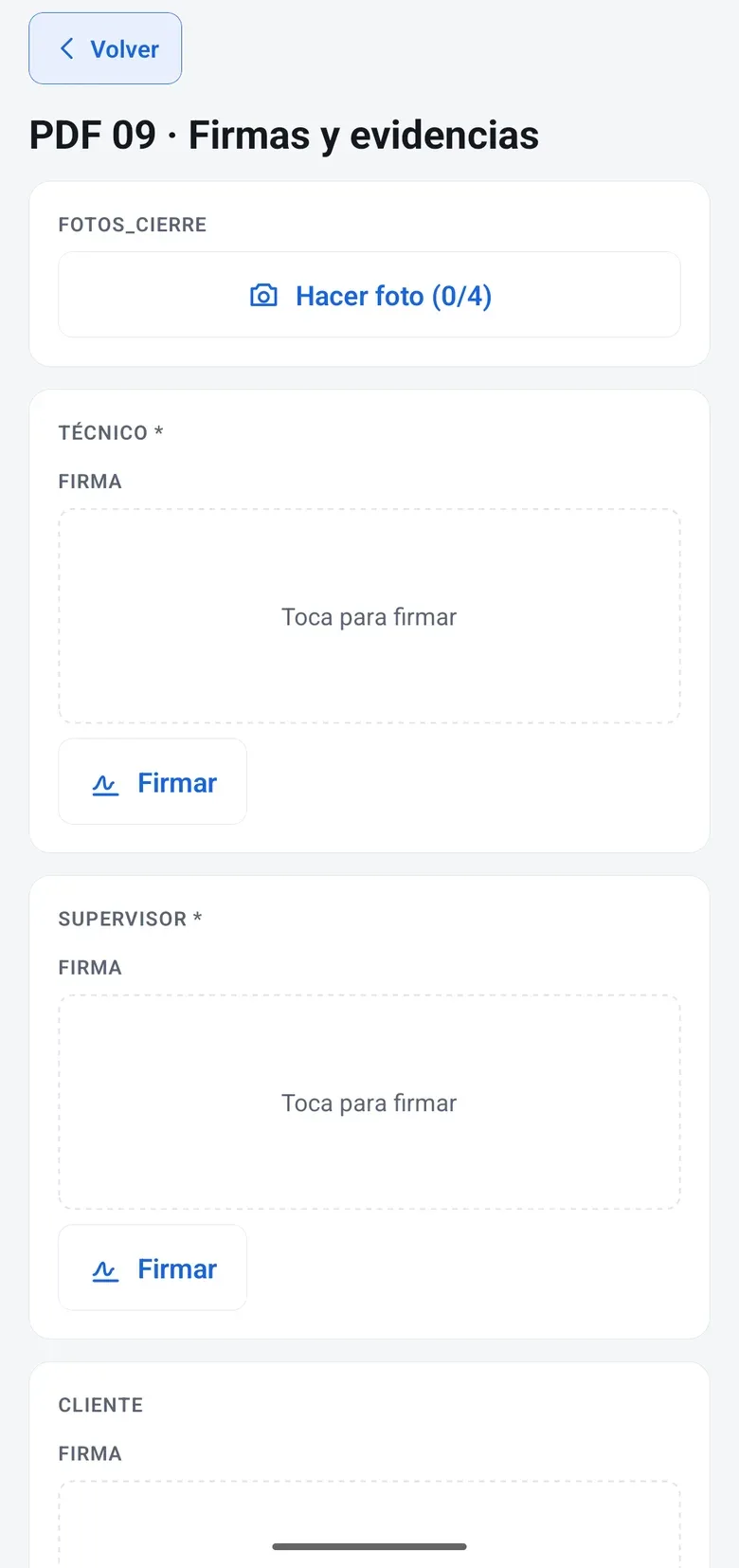
They scan the equipment QR code, read its history, take notes and fill in the checklist with photos. Before closing, the app flags what is missing, and the server will not close it until it is done. The customer signs on the phone and gets the service report as a PDF. If it needs another look, the job stays “under observation”.
No coverage, nothing lost
Technicians take their documents with them and work locally: checklist, photos, signature, hours and materials. When the signal comes back, only what changed syncs, with a clear policy for conflicts. Hours are saved in your company’s time zone, and anything the server rejects shows up with its reason.
Hours, mileage and materials
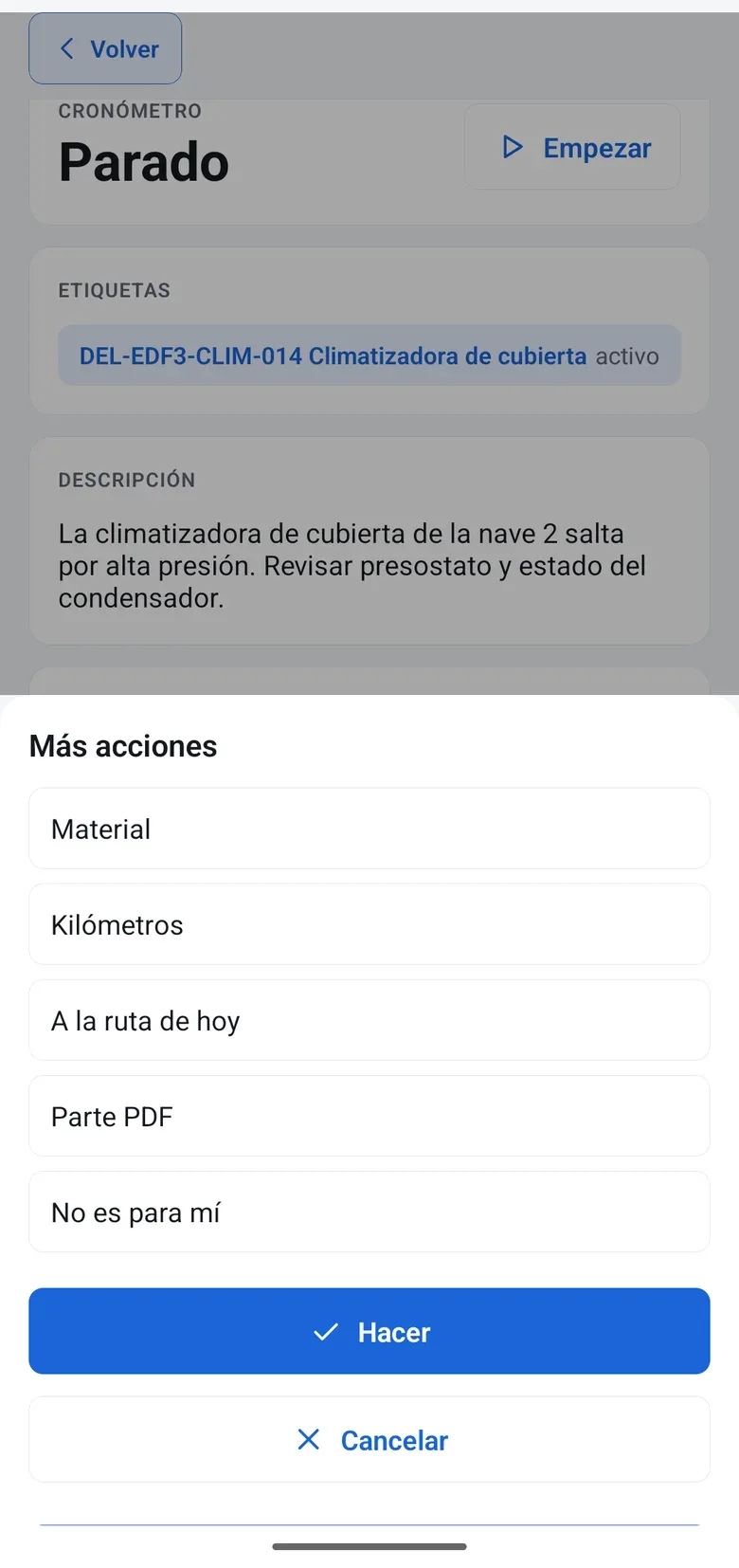
The record’s bar has Note, Photo, Time and Checklists. Under “More…” are materials, mileage, PDF report and “Not for me”. The timer never logs hours on its own, and materials come out of the van stock.
Take, hand over and self-assign
Whoever takes a job becomes responsible for it and their colleagues can see that. If someone else tries, the app warns them. If it is not theirs, they hand it over with “Not for me”. And they self-assign jobs from their group’s queue.
Field Radar and dispatch
Field Radar shows each technician by status, on Here Maps or OpenStreetMap, and filters who can resolve each service request, by distance. The daily dispatch plan proposes routes with time windows, and a person approves them.
How it works
Step by step
This is how it is used day to day, on the same document as the rest of the modules.
Step 1
The technician starts the day
In the app, with the day’s schedule, its route and the documents they will need already on the phone.
Step 2
Works on site
QR code, history, checklist with photos, timer, materials and customer signature, with or without coverage.
Step 3
Everything syncs on its own
When the signal comes back, what changed syncs, and the customer already has the service report as a PDF.
Step 4
The office dispatches
With Field Radar and the daily dispatch plan: attendo proposes and a person approves.
marIA in Mobile app and Field Radar
The technician records a voice note and marIA transcribes and summarizes it on the work order, so nobody has to type it up. Every operation is logged with who ran it, the model and its cost. Spending has the monthly cap you set.
It does not issue, confirm or number invoices: attendo is not an ERP. What is billable on the service report goes to your connected ERP, which issues the invoice.
Settings and canvases, such as Gantt, Kanban or the designers, are not on mobile. That is on purpose: they are used on desktop.
It has no turn-by-turn navigation of its own: it opens the map app your technician already uses.
Field service management is the management of technical work that happens outside the office: planning who goes where, doing the job, documenting it and closing it.
Yes. Technicians take their documents with them, work locally and everything syncs when the signal comes back. They only take what they have permission to see.
Is there an app for iPhone and Android?
Yes, the field app is available for iOS and Android, and its language follows the phone’s (Spanish or English). Sessions last up to 90 days, with the same two-factor authentication as the rest of attendo.
Can I see where my technicians are?
Yes, during working hours and with the employee informed. It is configured per profile and there is no hidden tracking.
What happens if two technicians open the same job?
Whoever takes it becomes responsible for it and their colleagues can see that. If someone else tries, the app warns them, but it does not lock the job: they can keep working. Taking a job needs a connection.
What if a technician loses their phone?
From the desktop you revoke that device’s access, or revoke it and wipe its data, which is wiped when it reconnects. You can limit how many devices each person uses. And signing out removes documents, photos and signatures from the phone.
Request a demo
Try it with your processes
We will show it to you with your own document types and the way you work. If it is not a fit, we will tell you.