
Email campaigns with sequences
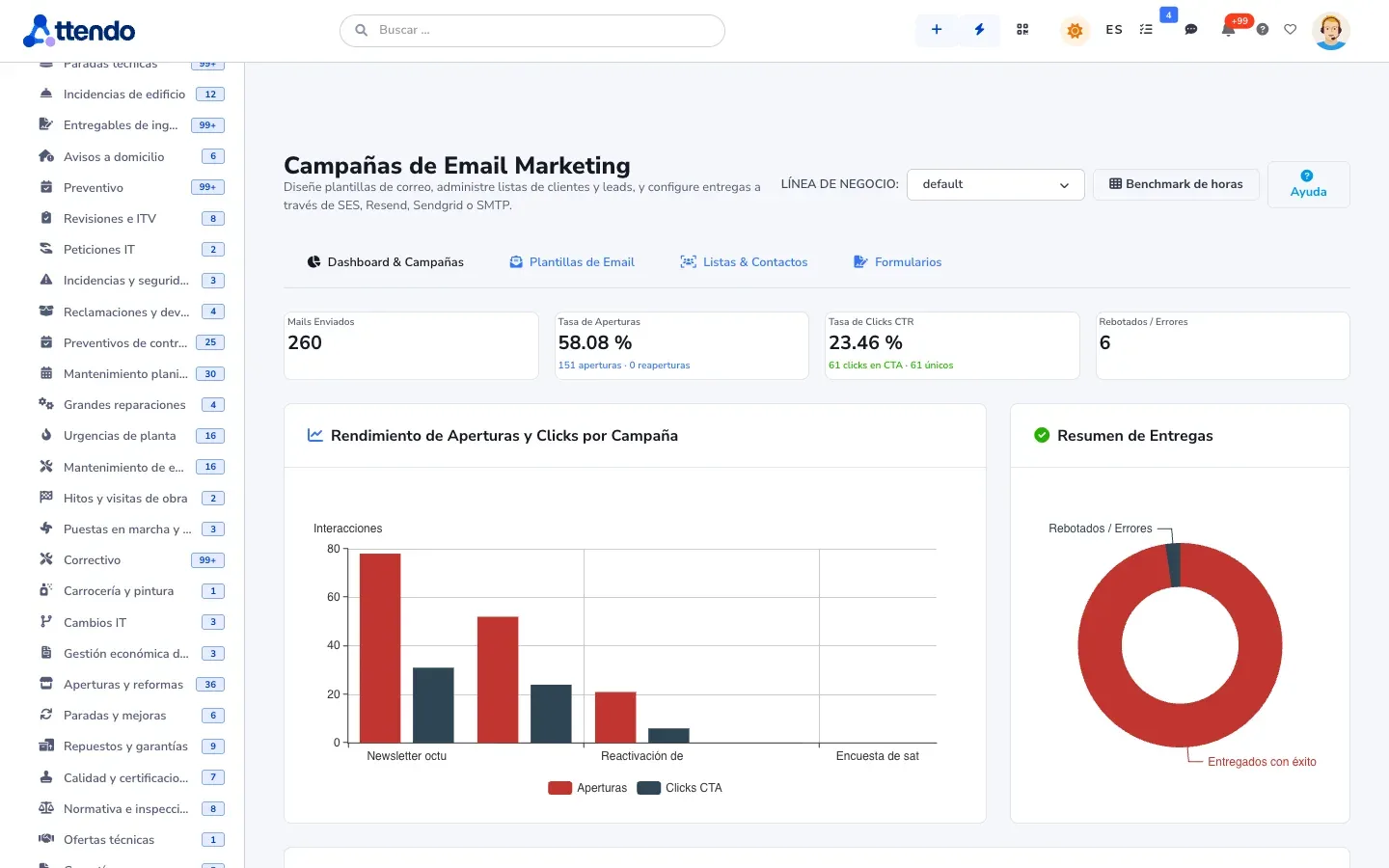
A five-step wizard, block-based templates and lists from Excel. Welcome, follow-up and re-engagement sequences, scheduled for the date you choose, with opens, clicks and bounces tracked.
Choose which cookies you accept. You can change this at any time from “Cookie settings” in the footer of every page. Cookie policy
They make the website work, remember this choice, keep your conversation with the assistant if you use it, and protect the forms from bots. They cannot be turned off.
Google Analytics 4 measures statistically how the website is used. During your visit we also remember the campaign source you arrived with and the page you landed on, so we know which campaigns and pages bring us requests. Cloudflare Web Analytics counts visits without cookies and does not depend on this option.
Google Ads measures which requests reach us from our ads (conversions), without your name, email or phone number. It is not loaded until you accept this category.
Marketing, email and prospecting
You describe what you sell, attendo finds companies that fit and marIA prepares a SWOT for each one. Campaigns go out with a different email for each company, and every lead lands in your CRM.
Sales and payments
A five-step wizard, block-based templates and lists from Excel. Welcome, follow-up and re-engagement sequences, scheduled for the date you choose, with opens, clicks and bounces tracked.
It searches for target companies in up to six sources: AI, maps, company registries, B2B databases and LinkedIn. It imports them as leads without duplicates, with a monthly search budget.
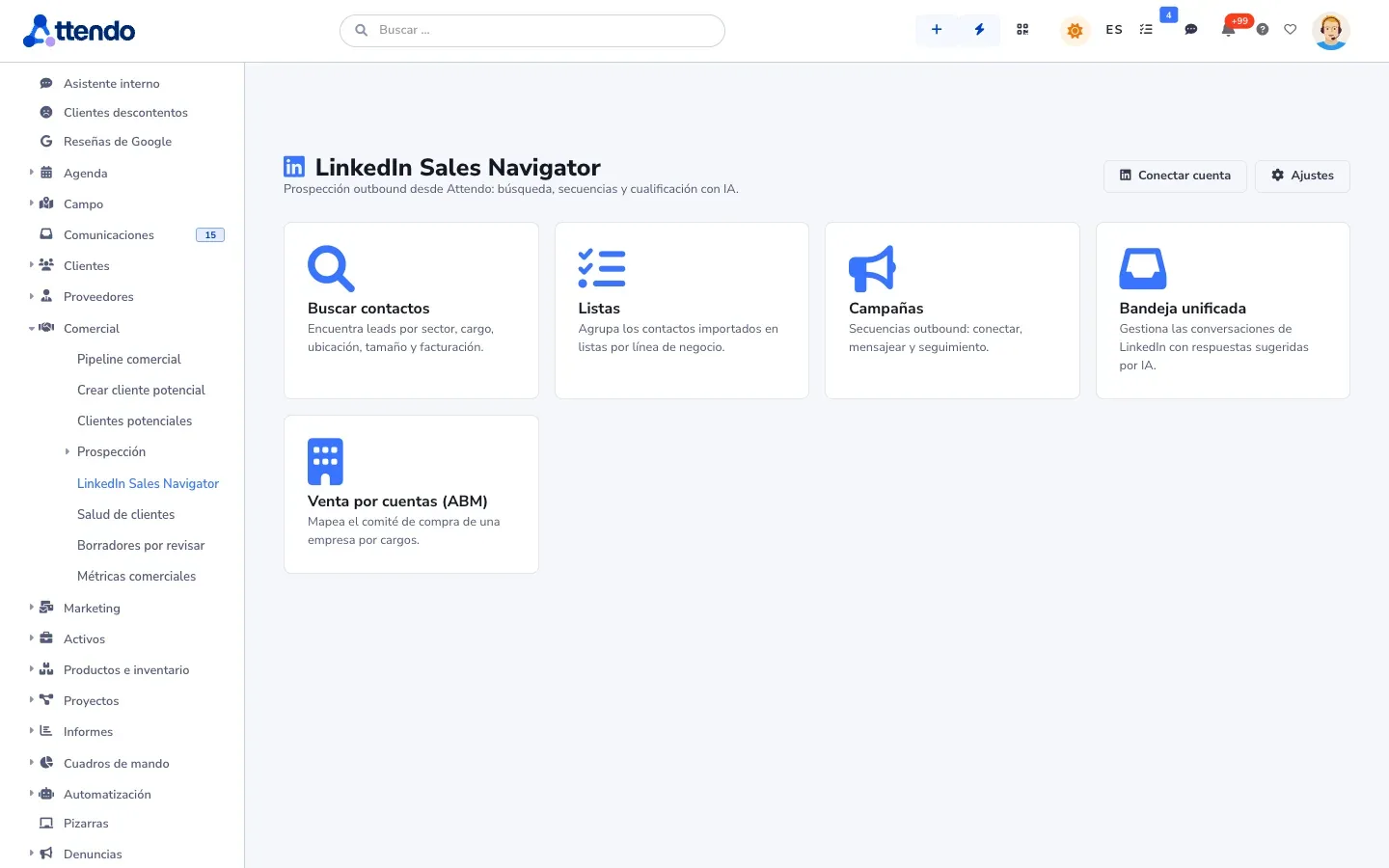
Searches, invitations and messages from each sales rep’s LinkedIn account, through a third-party provider. With daily limits, pacing and a time window. marIA detects interest in replies and creates the lead.
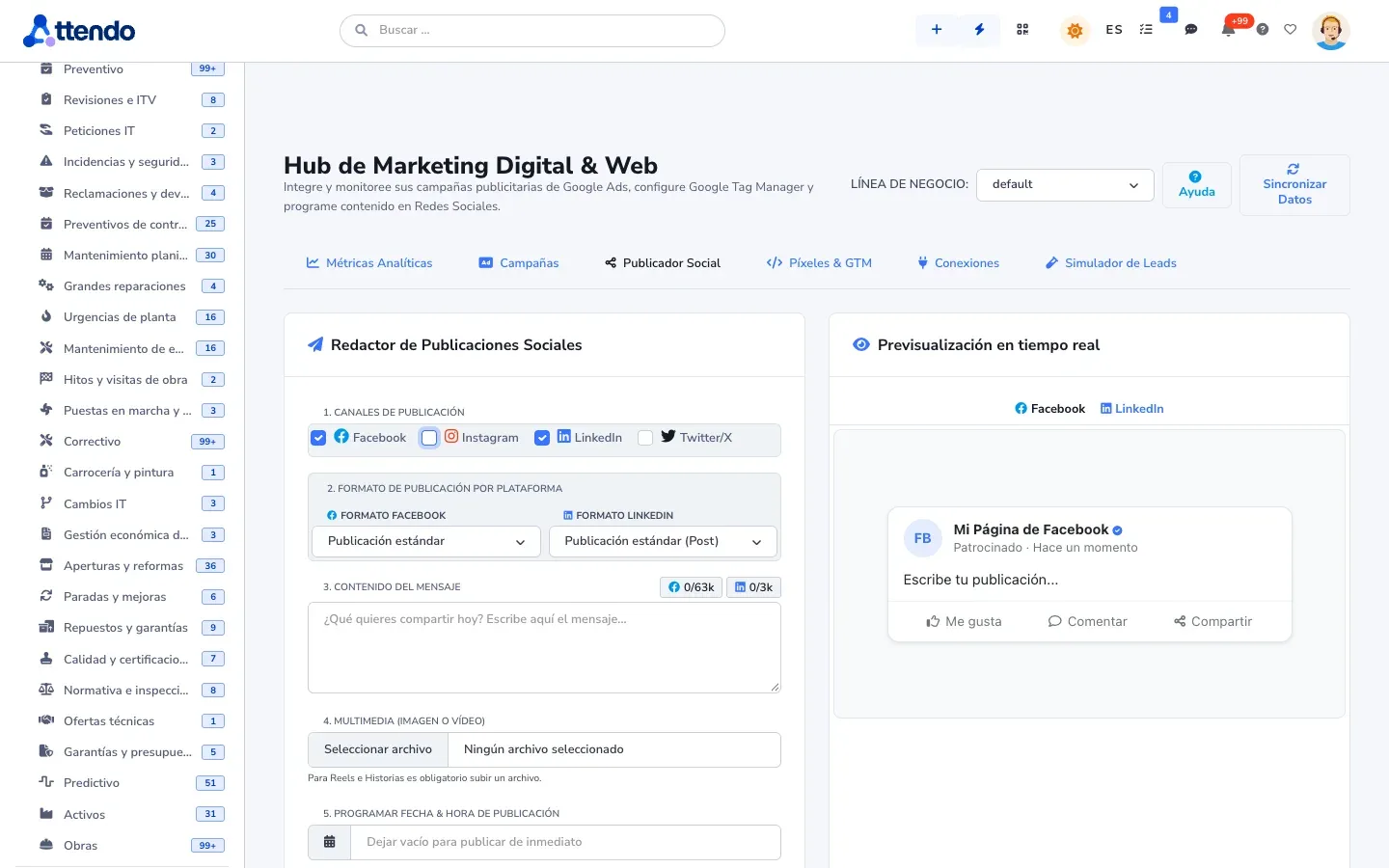
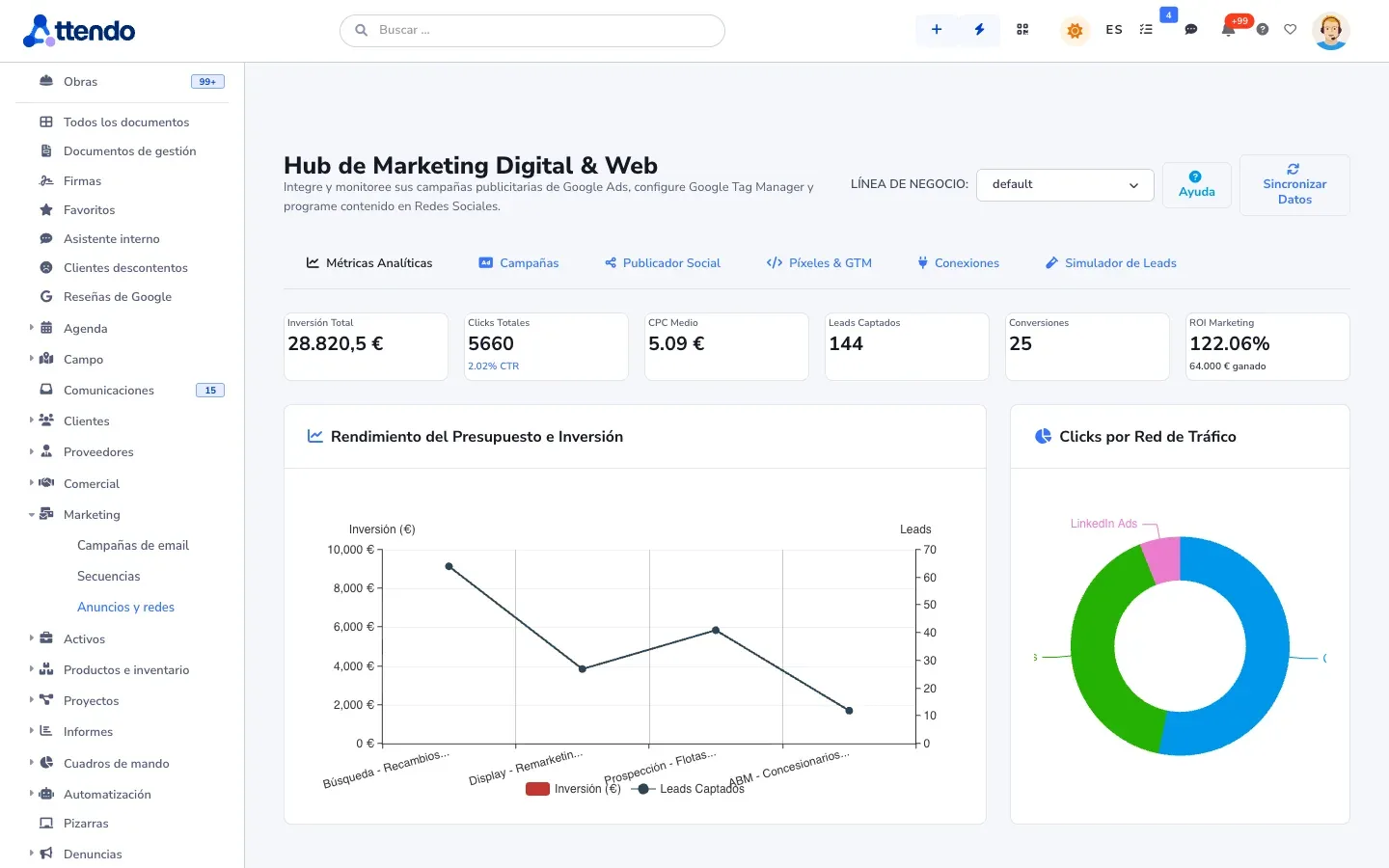
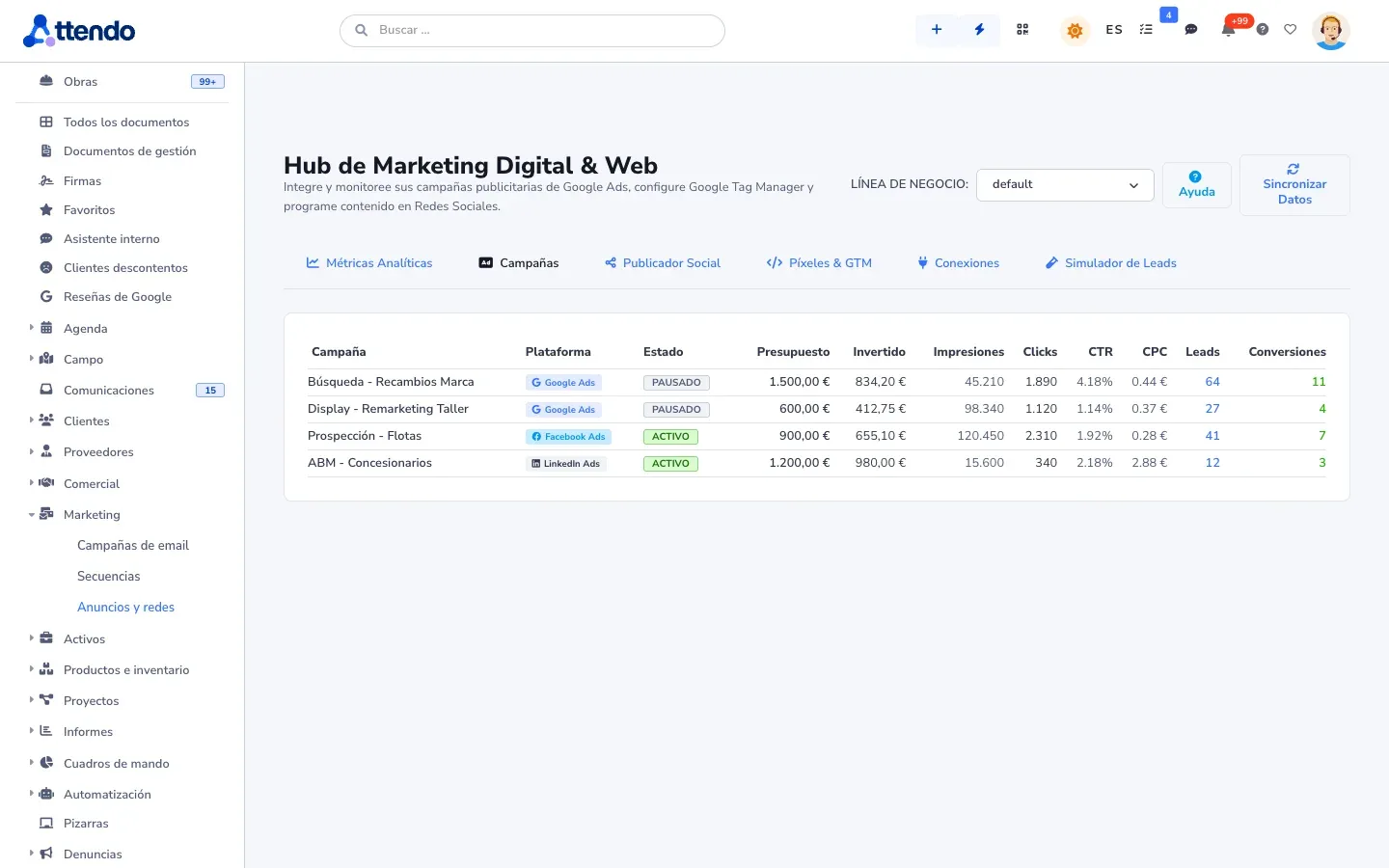
Connect Google Ads, Meta Ads (Facebook and Instagram) and LinkedIn Ads and see, by line of business, spend, impressions, clicks, CTR, CPC and ROI calculated from the opportunities won in the CRM. Conversions are sent back to the ad network automatically. You schedule posts for Facebook, Instagram, LinkedIn and X on a calendar, in each network’s format. And with your Google Tag Manager or Google Analytics 4 you measure your public pages and chatbots.
You invite all your customers equally to review you on your Google Business Profile, and your reviews reach attendo via API. On your website, a block shows verified reviews.
You see on their record which pages of your website a lead or customer visits. You know when they open the quote or document you sent them. And your customer follows their ticket or order on a page.
How it works
Your value proposition, your ideal customer and their objections.
Across several sources, and they come in as leads without duplicates, each with its SWOT.
By email or LinkedIn, with a different message for each company and on the date you schedule.
Interested leads reach the CRM, classified and scored, for the right sales rep.
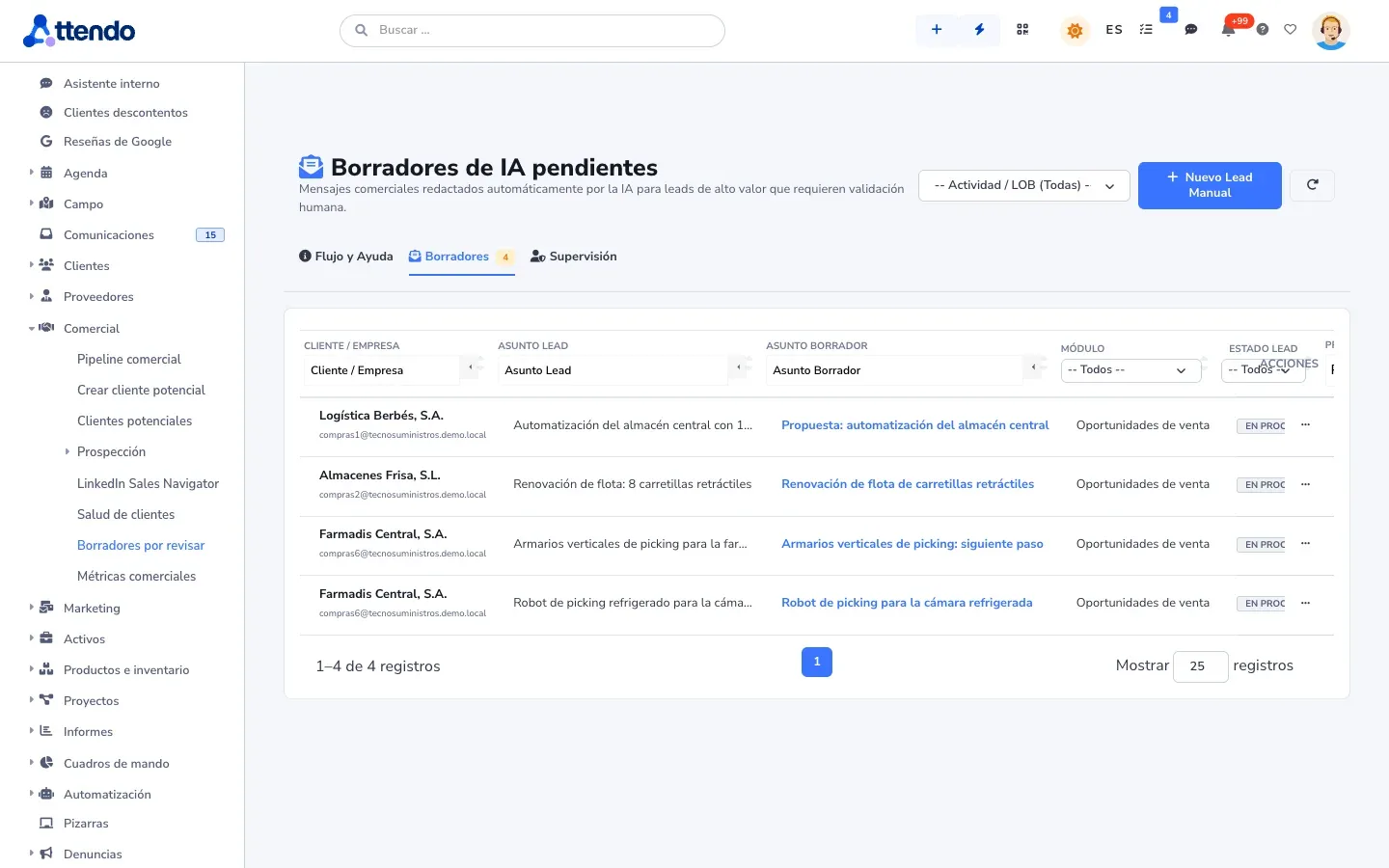
marIA generates each company’s SWOT, writes the prospecting email from it, suggests the content of your email campaigns and detects interest in LinkedIn replies. Every operation is logged with who ran it, the model and its cost. Spending has the monthly cap you set.
Where it is used
Industry solutions
Honesty
It is not an inbound marketing automation platform. If lead generation is your growth engine, a specialized tool fits better, and it connects to attendo via API.
Each channel runs on your accounts: your sending provider, your ad and social media accounts and your LinkedIn access.
Works with
The AI in attendo CRM: clean, scored leads with a draft reply
See Sales AIYour quote · Office maintenance
Quotes with options that the customer opens, picks and accepts
See Web quotesTicket TK-2481 · closed
How did we do?
“Fast, and very clear about the quote”
Ask for feedback on closing and turn a low score into work
See Satisfaction surveysOne single record
WhatsApp “What time are you coming?”Teams Message from the supervisorCall Transcribed and summarizedAnswers with your documentation and hands off to a person as needed
See Web chatbotGlossary
Sales and customers
Pipeline
The sales pipeline is the set of open sales opportunities, organized by the stage each one is in.
Sales and customers
Customer churn · churn rate
Churn is the loss of existing customers, usually because they do not renew their contract.
Frequently asked questions
With your sending provider: SMTP, Amazon SES, Resend or SendGrid. Opens, clicks and bounces are tracked in the campaign.
One-click unsubscribe is on by default, and the source of every piece of data is recorded. There are also suppression lists.
With LinkedIn Sales Navigator, attendo automates searches, invitations and messages from each sales rep’s LinkedIn account. It does so through a third-party provider: it is not an official LinkedIn API. Each user first accepts a legal notice, and there are daily limits, pacing and a time window. The risk of restriction falls on that LinkedIn account.
Yes. The campaign dashboard matches Google Ads, Meta Ads and LinkedIn Ads spend against the opportunities won in the CRM and calculates the ROI of each one. You filter it by line of business.
Yes. You write a post and schedule it for Facebook, Instagram, LinkedIn and X at once, in each network’s format: post, reel or story on Instagram, and post or PDF document on LinkedIn. Instagram reels and stories need an image or a video.
Request a demo
We will show it to you with your own document types and the way you work. If it is not a fit, we will tell you.
Would you rather talk first?