
Micro-agents, each with a role
One summarizes the facts of the case and another scores fit or risk. Another drafts the message and another adjusts the score, with its reason. A supervisor asks for human review when needed.
Choose which cookies you accept. You can change this at any time from “Cookie settings” in the footer of every page. Cookie policy
They make the website work, remember this choice, keep your conversation with the assistant if you use it, and protect the forms from bots. They cannot be turned off.
Google Analytics 4 measures statistically how the website is used. During your visit we also remember the campaign source you arrived with and the page you landed on, so we know which campaigns and pages bring us requests. Cloudflare Web Analytics counts visits without cookies and does not depend on this option.
Google Ads measures which requests reach us from our ads (conversions), without your name, email or phone number. It is not loaded until you accept this category.
AI Autopilot (Multiple AI Agents)
Every document in the process gets a score from 0 to 100. Several micro-agents summarize it, score it and write drafts. Past a threshold it goes to a person, who can take the wheel at any time.
Automation and AI
One summarizes the facts of the case and another scores fit or risk. Another drafts the message and another adjusts the score, with its reason. A supervisor asks for human review when needed.
Every document carries a score from 0 to 100 with weights you adjust. In sales it is the opportunity score; in maintenance, the criticality score. So you can see where to spend your time.
You choose the mode: automatic, mixed or people only. Past the threshold, the document goes to a person. If someone claims it, the agents stop touching it.
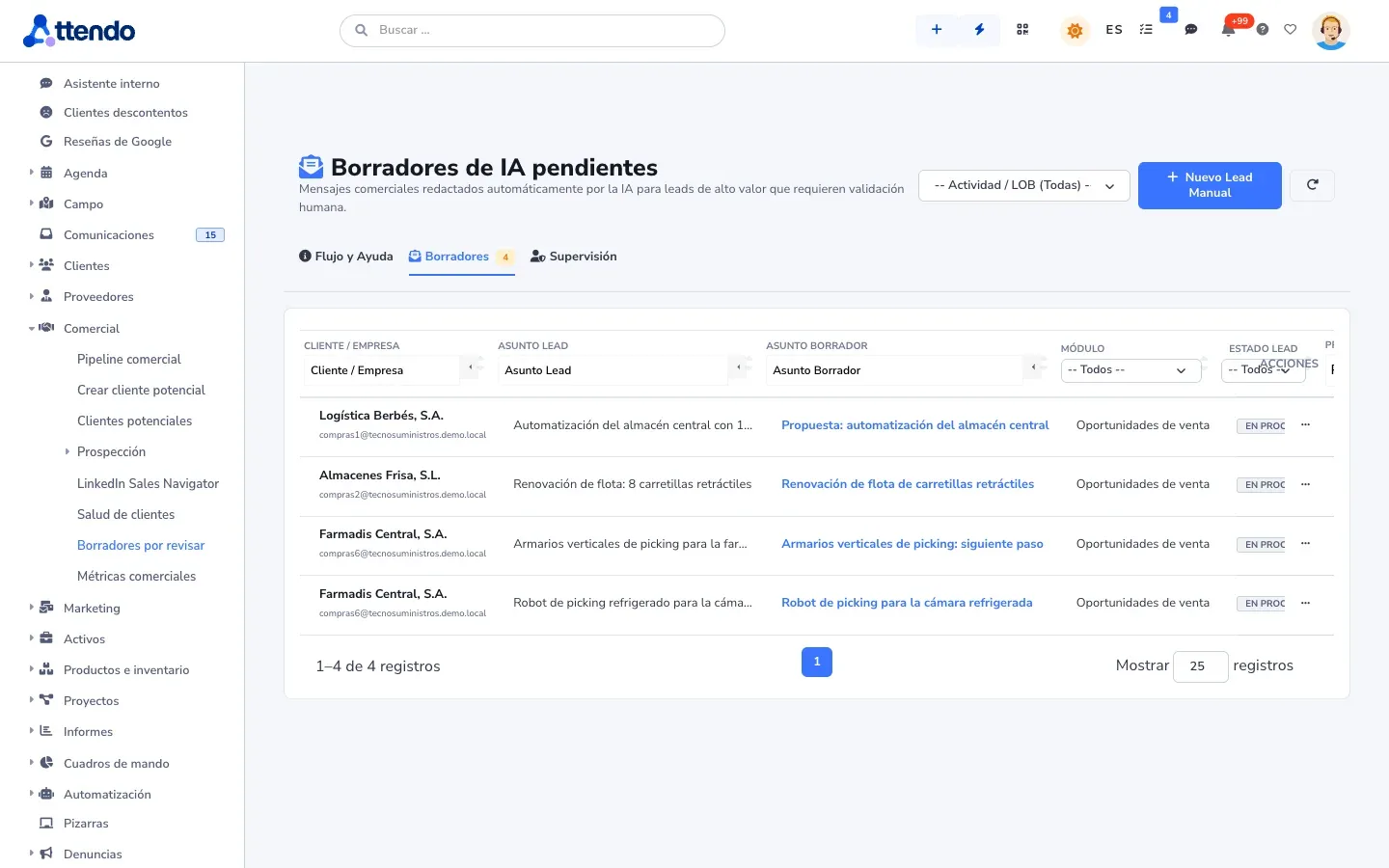
Whatever the supervisor escalates waits for someone to approve or reject it. You see a readable summary and, collapsed underneath, the technical detail. The document does not move on until then.
A tab on the record explains in plain language what each agent did and why. Every handoff between the AI and a person leaves a summary on the timeline.
You test the process dry with a sample document, step by step and without calling the AI. The validator flags unreachable states, and every published version can be restored.
How it works
This is how it is used day to day, on the same document as the rest of the modules.
There are templates for sales, for maintenance and a generic one. You adjust states, transitions and score weights, and publish once the validator shows no errors.
Turn on AI Autopilot for the type you want: opportunities, corrective work orders or complaints. New documents of that type enter the process on their own.
Summary, score and draft appear on the card on the record. The process Kanban board and analytics show where work gets stuck.
Past the threshold, or when the supervisor asks, the document goes to a person. Everything stays in the AI activity and on the timeline.
The micro-agents summarize, score, draft and prioritize. Anything going out to a customer waits for a person. The one exception, automatic sending to low-score leads, ships switched off and an administrator turns it on. Every operation is logged with who started it, the model and its cost, under the monthly cap you set. See how AI is kept under control.
Where it is used
Industry solutions
Honesty
It does not close deals or work orders: it scores and prioritizes, and closing is up to a person.
Without an AI provider there are no agents and no score. The process runs as a manual status flow.
Works with
Flows, phased processes with approvals, and AI inside the flow
See Flows and AI-FlowsThe AI in attendo CRM: clean, scored leads with a draft reply
See Sales AICold room 2 compressor won’t start
The AI in attendo CMMS: probable diagnosis and criticality
See AI-CMMSBoards by status for any document type
See KanbanGlossary
Maintenance
Equipment criticality
Asset criticality is the impact that an asset’s failure has on service, production or safety. It helps you share out a maintenance budget that is always limited.
Sales and customers
Pipeline
The sales pipeline is the set of open sales opportunities, organized by the stage each one is in.
Support and service
Ticket escalation
Escalation is handing a case over to a higher level, because of its technical complexity or because it is running late.
Frequently asked questions
No. It scores and prioritizes. The final say belongs to a person, who can take the wheel at any time.
Adjust it. You set the weight of each dimension in the template. And every adjustment an agent makes carries its reason in the AI activity.
Not by default. Automatic sending exists only for low-score leads, ships switched off and is turned on by an administrator. It is recorded on the timeline.
The process works as a manual status flow. Nothing breaks, and the agents start working when you connect your provider.
Any document type. There are templates for sales and maintenance, and a generic one for complaints, tickets or whatever you need.
Request a demo
We will show it to you with your own document types and the way you work. If it is not a fit, we will tell you.
Would you rather talk first?