
Field service software
Field service software: the report signed before you leave
The day’s schedule and routes, a technician app with checklists, photos and signature, real hours and materials, and the PDF report in the customer’s inbox at closing. For any company with people working in the field.
- iOS and Android app, even without signal
- A QR code on every asset with its history
- From report to delivery note, with no retyping
- Cloud-based: nothing to install
- Data hosted in the European Union
- Native iOS and Android app
- AI proposes; you decide
Request a demo with your data
We call you, look at your case and show you attendo with your own data. No commitment.
If this sounds familiar, read on
No service report, no invoice. And then it is Friday.
When field work is coordinated by phone and WhatsApp, the office chases reports, the technician arrives without context and hours are invoiced late or never.
- Report not entered
Paper reports
They get lost, they are hard to read and someone types them up at the end of the week.
- No schedule
The schedule lives in a WhatsApp group
Last-minute changes nobody records and visits that overlap.
- Hours not logged
Hours from memory
What is not logged on site does not get billed.
- Not invoiced
Invoices that go out late
No signed report means no delivery note, and no delivery note means no invoice.
What it does
All your field work, from schedule to payment
The office plans, the technician works from the phone and the customer receives the signed report.
-
Scheduling and planning
Schedules by technician and by group on their real working hours, a Gantt chart and team workload, 24-hour on-call and recurring jobs.
-
Daily routes
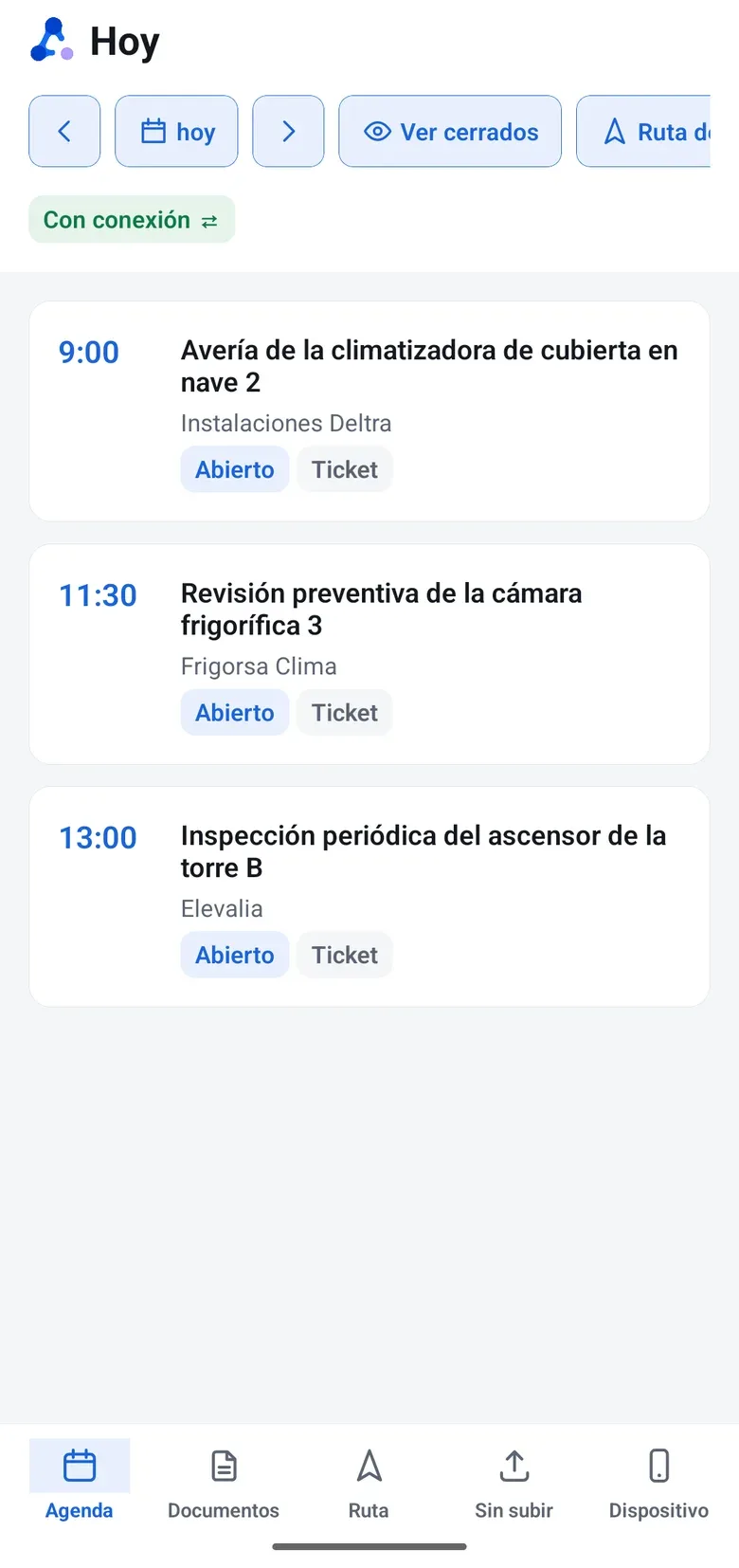
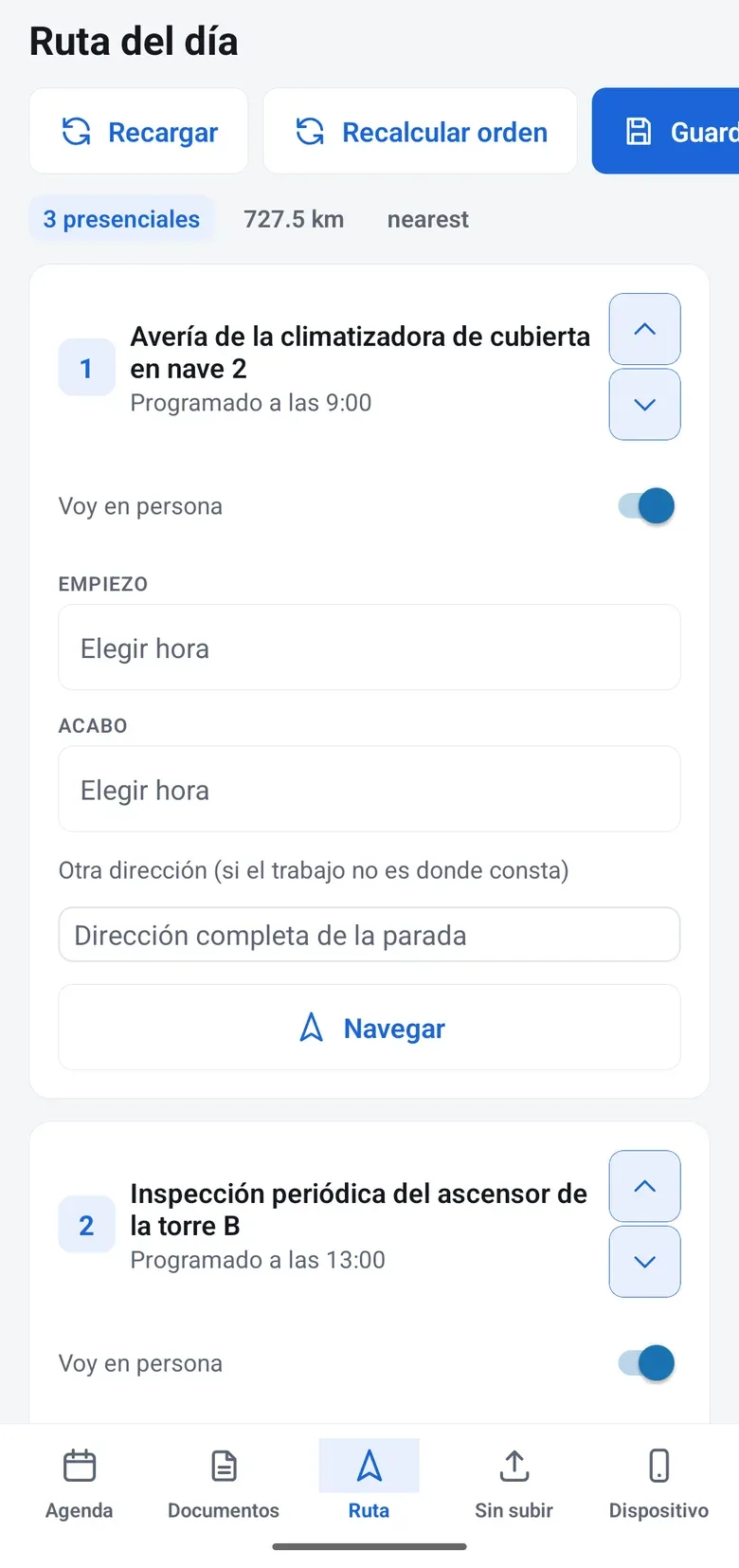
Each technician sees their queue and route on the phone, adds jobs to the day’s route and the customer knows they are on the way.
-
App for technicians
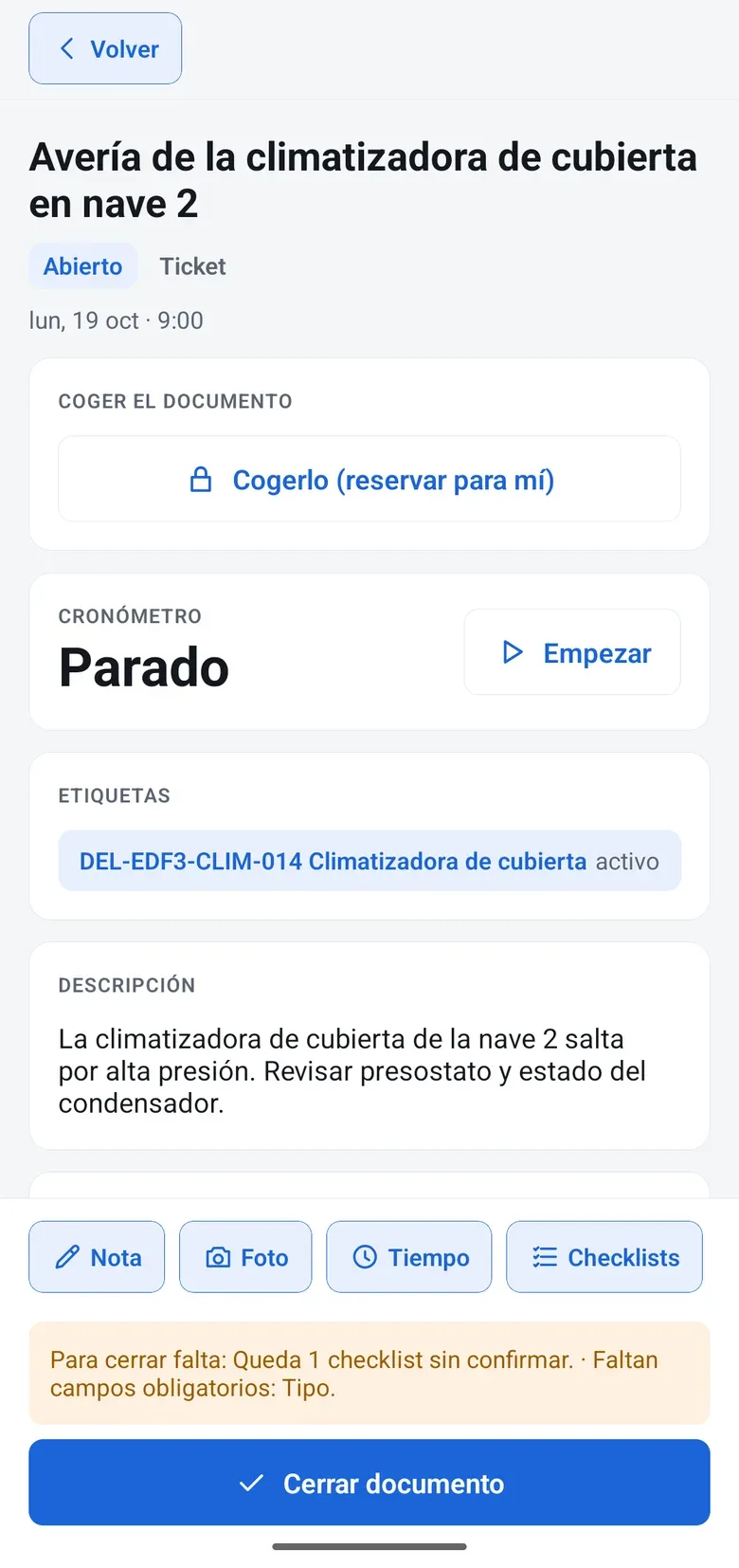
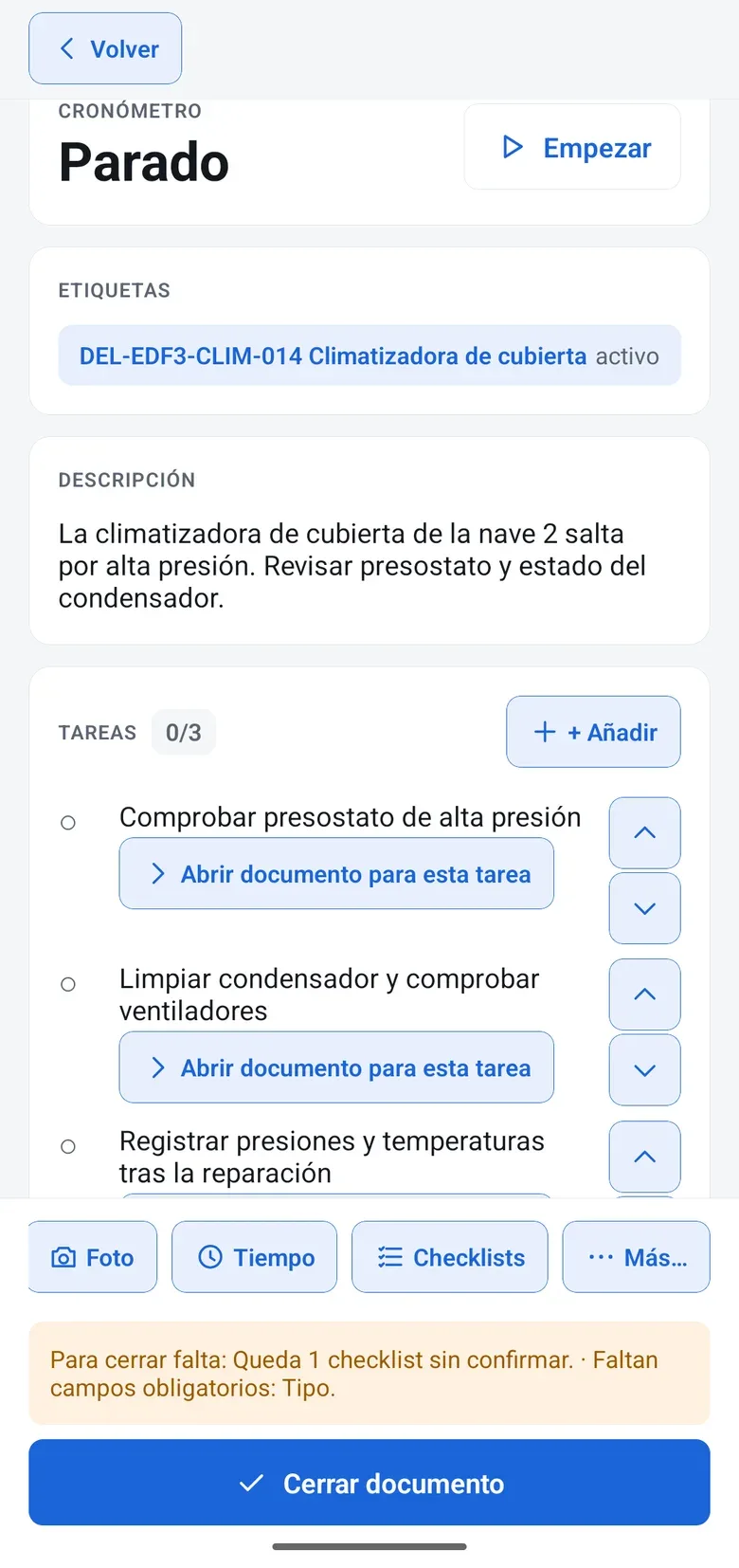
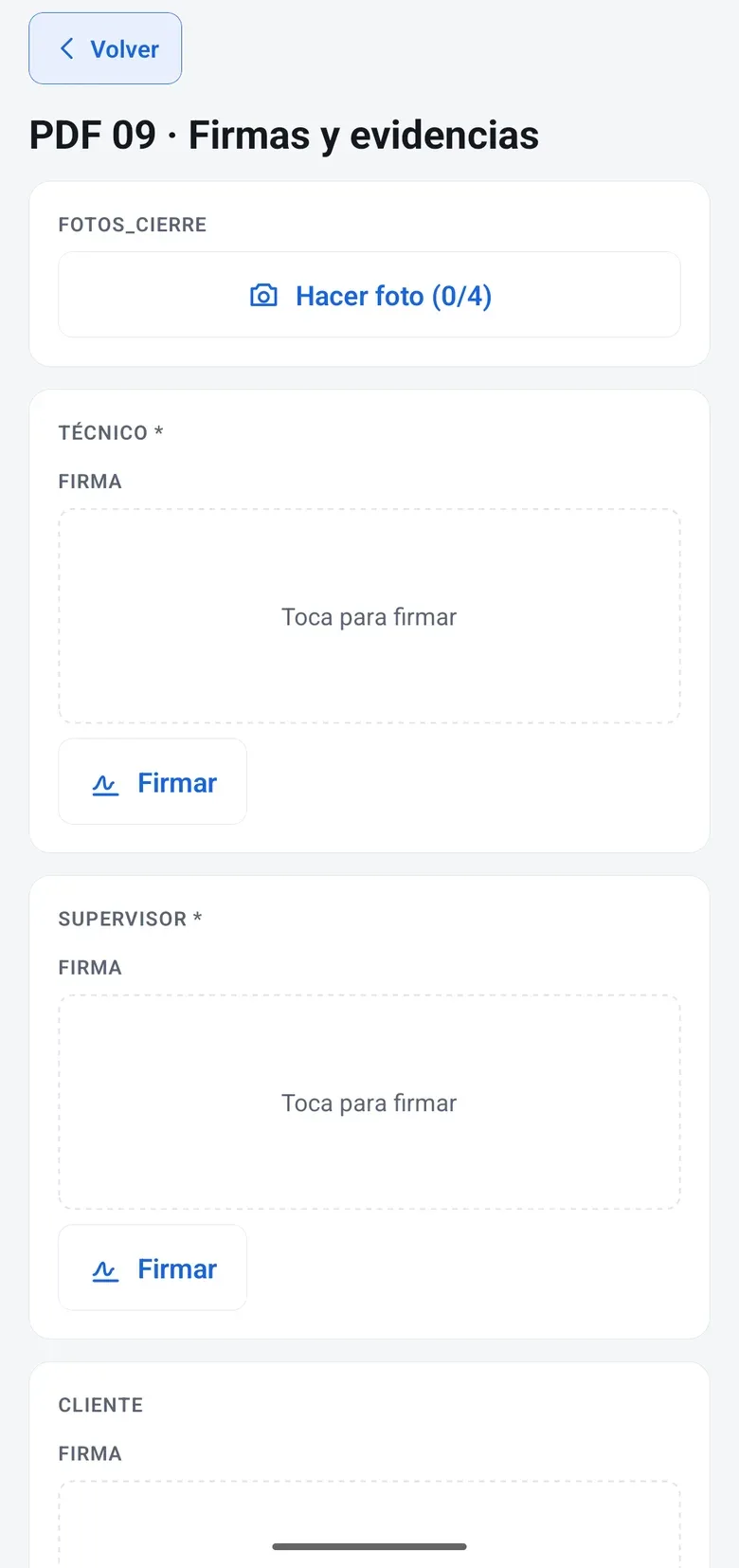
Documents, notes, photos, times, mileage, materials, checklists and signature. It works without signal and syncs when you are back online.
-
Checklists and forms
Free design: photos, QR scanning, geolocation, values with range alerts, conditional logic and multiple signatures.
-
A QR code on every asset
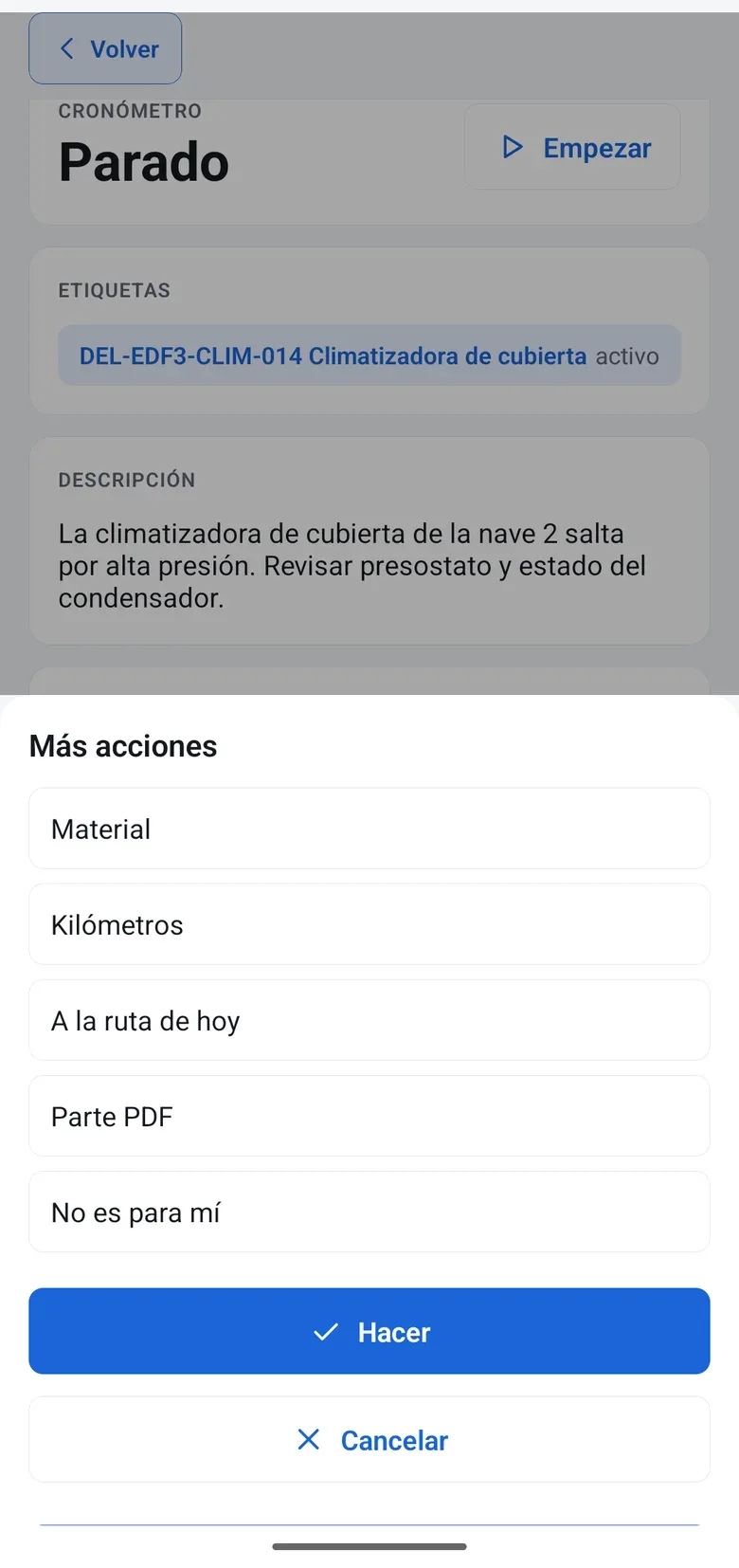
The technician scans the QR code and opens the record with the history and the note a colleague left last time.
-
Field Radar
The team map in the office, with the status of every technician and every job.
-
Real hours and materials
Hours from a timer, not from memory, and van stock where only confirmed usage reduces inventory.
-
Report, delivery note and handoff to the ERP
The report is issued as a PDF with your branding at closing and creates the delivery note, which goes to your connected ERP for invoicing. A report tells you which hours are still not invoiced.
How it works
A working day, from schedule to payment
Six steps, in the order they happen.
- Step 1
You plan
Schedules by technician and by group, with vacations and public holidays. Each visit with its time window and address.
- Step 2
The technician sees their day
Their queue on the phone. They pick up group jobs when it is their turn, and the customer is told they are on the way.
- Step 3
They scan the asset’s QR code
The record opens with the history and the note a colleague left last time.
- Step 4
They document
A checklist with before and after photos, readings with an alert if they are out of range, the timer and materials from the van.
- Step 5
The customer signs
On the screen. The report is issued as a PDF with your branding and sent at closing.
- Step 6
You get paid
The report creates the delivery note, your connected ERP issues the invoice and a report tells you which hours are still not invoiced.
Artificial intelligence
marIA in the field
attendo’s AI takes office work off the technician. A person decides.
-
Voice note to text
The technician records what they saw and marIA summarizes it on the report, with nobody typing it up.
-
The manual, in the report
It answers by citing the asset’s documentation.
-
Clear priority
On corrective jobs, an urgency score helps decide what goes first.
-
Answers questions about your data
Questions about hours, jobs and technicians in plain language, read-only.
What it does not do: decide what goes first or who it is assigned to: a person decides.
Before and after
From paper and WhatsApp to field service software
What changes when the technician stops working on paper and the office stops chasing them.
| Paper, phone and WhatsApp | attendo Field Service | |
|---|---|---|
| Schedule | Paper, phone and WhatsAppA chat group | attendo Field ServiceSchedule by technician and daily routes |
| Context on site | Paper, phone and WhatsAppCall the office | attendo Field ServiceThe asset’s QR code with its history |
| Report | Paper, phone and WhatsAppPaper that gets typed up | attendo Field ServiceChecklist with photos and signature on the phone |
| Hours and materials | Paper, phone and WhatsAppFrom memory | attendo Field ServiceTimer and van stock |
| Delivery to the customer | Paper, phone and WhatsAppDays later | attendo Field ServicePDF with your branding at closing |
| Invoicing | Paper, phone and WhatsAppWhen someone remembers | attendo Field ServiceDelivery note from the report, invoice in your ERP and a report of hours not invoiced |
Integrations
Connected to what you already use
Your connected ERP for invoicing, because attendo is not an ERP or accounting software. And your email and calendar, WhatsApp to notify the customer and maps for routes.
- Odoo
- SAP Business One
- Business Central
- Holded
- Microsoft 365
- Google Workspace
- Here Maps
Who it is for
For any company, in any industry
These are the most common industries. attendo can be set up for any other: your customer types, your fields and your vocabulary.
You may be looking for
Other ways to use attendo
CMMS software
If you also maintain assets with preventive plans: inventory, plans, spare parts and KPIs.
See the pageAfter-sales service software
If you repair appliances for brands and consumers: warranties, parts and quotes accepted online.
See the pageEverything attendo Field Service does
Modules, screenshots and full detail on the attendo website.
See attendo Field ServiceFrequently asked questions
Frequently asked questions
What is field service software?
It is the software that coordinates people who work outside the office: scheduling, routes, on-site work, the signed report, and hours and materials ready to invoice.
What is the difference between field service and after-sales service?
Field service coordinates the people who work in the field. After-sales service organizes support for your customers’ products: warranties, brands and parts. In attendo they share the schedule, the app and the report.
Do I need to install an app?
We recommend the attendo app for iOS and Android, which works without signal. Anyone without it can use the browser on a phone or tablet, with a connection.
Does it work without signal?
Yes, with the app. The technician downloads their jobs, does them offline and everything syncs when the signal is back.
My technicians are not tech-savvy. Will they use it?
They scan a QR code and see what they need to do. It takes fewer steps than a paper report. And you can try it with one van before switching the whole fleet.
What about my subcontractors?
They log in through the supplier portal and see and close only their own jobs.
Does the customer receive the report?
Yes. At closing, a PDF with your branding reaches them by email with the signature and the photos.
How much does it cost?
It depends on the modules and how many people use it. We do not publish prices on the website: How much attendo costs explains what the price depends on, and we send you a firm proposal after looking at your case.
Request a demo
Try it with your technicians
Leave us your details and we will show you attendo with your schedule, your reports and your checklists. If it is not a fit, we will tell you.
- With your operation, not a generic demo
- A real person from our team replies
- No cold calls afterwards
Would you rather talk first?
- Phone +34 910 053 530
- Email sales@attendo.me
- Monday to Thursday 9:30 AM to 6:30 PM and Friday 9:30 AM to 2:30 PM (Spain time)