
Process automation software
Process automation software with no code and a full trail
Turn the requests, approvals and reviews that travel by email today into processes with stages, owners and signatures. You draw them in a visual editor, or describe them to marIA, and every run leaves its trail.
- Approval from a phone, no user account
- Built-in flows ready to switch on
- Inbound and outbound webhooks
- Cloud-based: nothing to install
- Data hosted in the European Union
- Set up without code
- AI proposes; you decide
Request a demo with your data
We call you, look at your case and show you attendo with your own data. No commitment.
If this sounds familiar, read on
The process exists, but it lives in someone’s inbox
A purchase goes through three emails before approval, onboarding depends on someone telling IT and the quarterly review happens when someone remembers. Nobody knows which step anything is at.
- Not approved
Approvals in passing
The approver never sees it, or says yes in the hallway. Later, nobody can find the yes.
- Not logged
A spreadsheet per department
Purchasing, quality, HR and administration copy data by hand from one sheet to another.
- Missing requirement
Steps that get skipped
The document closes without the signature or the checklist, and it comes out in the audit.
- No traceability
Five tools for one process
One for alerts, another for forms and another for signatures, each with its own permissions.
What it does
Everything a process needs, on the same platform
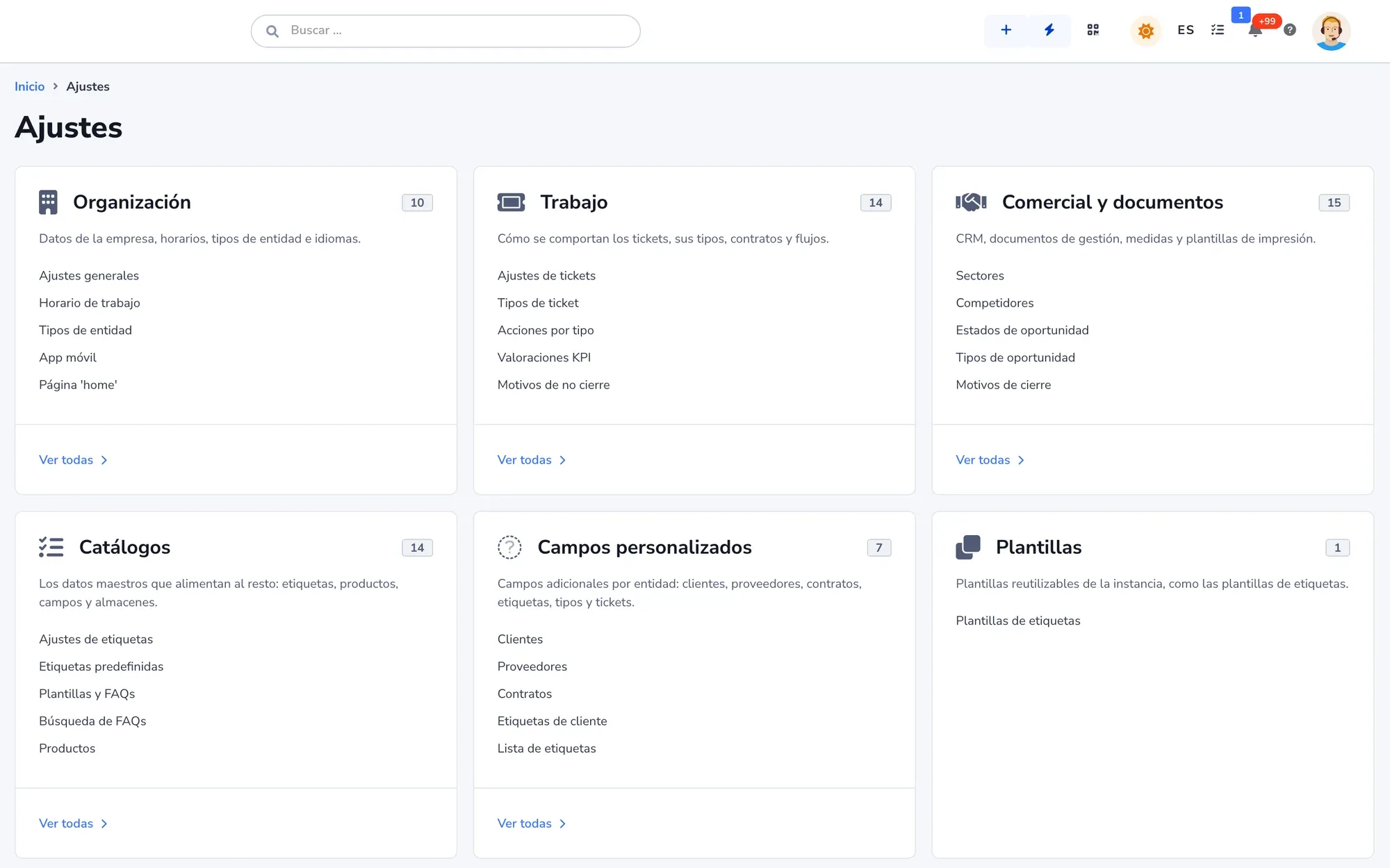
Rules, stages, forms, tasks and signatures on the same document, without connecting five tools.
-
Flow Builder
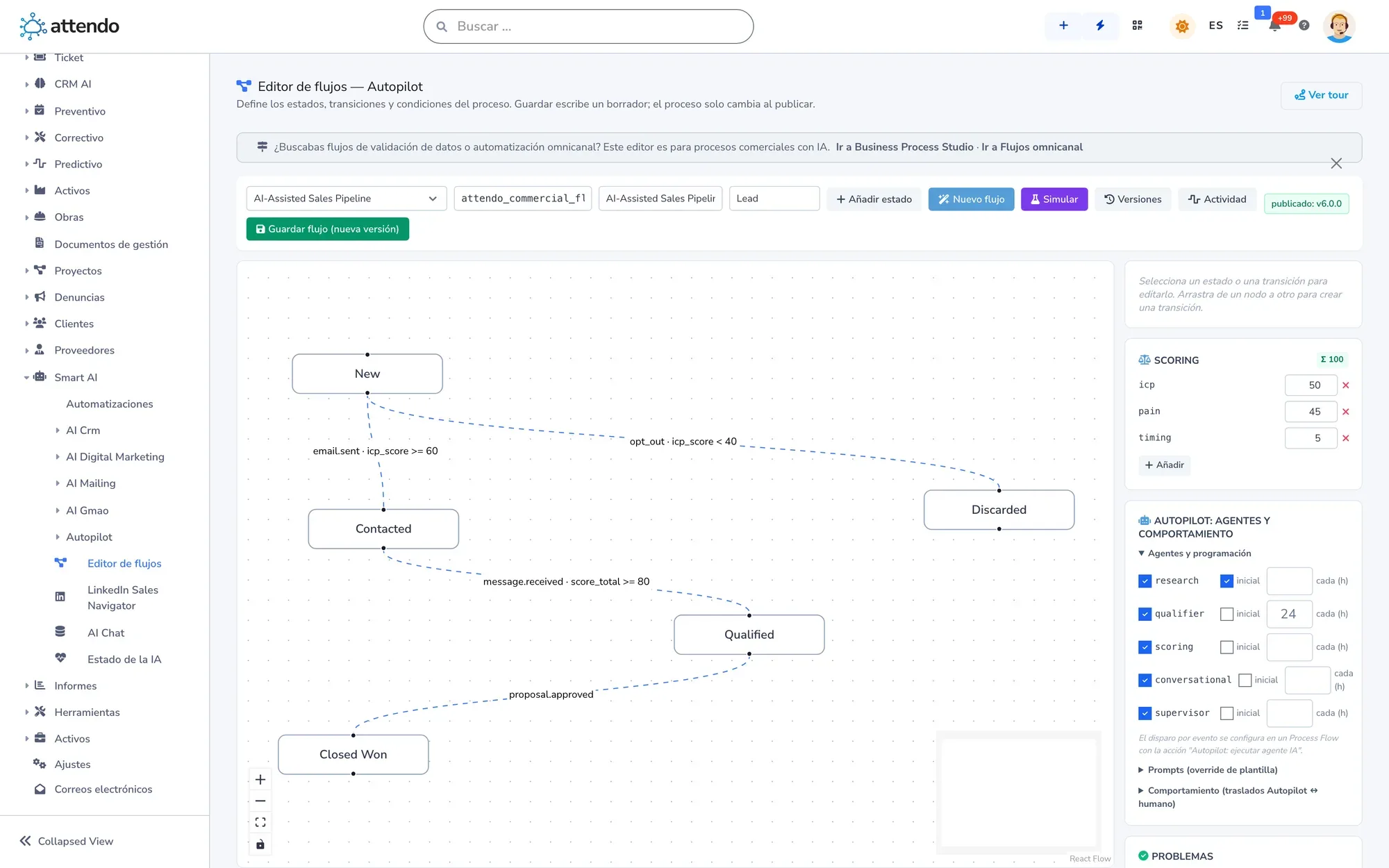
Trigger, conditions and actions in a visual editor. It starts with an email, a form, a webhook, a time or a status change.
-
Business Process Flow (BPF)
A document’s stages, what it needs to move forward and who approves. Closing is blocked until the procedure’s requirements are met.
-
Approval by link
The approver gets a link, enters a code and decides from their phone, with no user account. Who did it and when is logged.
-
attendo Forms
Public, internal or QR code forms that create the document the process starts from.
-
Tasks and checklists
Task templates per document type, with owner and due date, and attendo Checklist with photo, signature and version.
-
Signatures and documents
Formal approvals and contracts signed with attendo eSign, and documents generated with your template and branding.
-
Webhooks, API v4 and MCP
An external system starts a flow, an outbound webhook notifies whoever needs it and a step calls any API, with history and resend.
-
AI where you put it
A step summarizes, transcribes or detects tone, and an AI decision node picks the branch. Every operation is logged with its cost.
How it works
From an email-driven process to one with stages and a trail
Six steps, from the first sketch to a live process.
- Step 1
Pick a process that hurts
A purchase request, onboarding, a nonconformity or a periodic review.
- Step 2
Define the document
Its fields, its intake form and its statuses. No code.
- Step 3
Set stages and requirements
With BPF: what it takes to move forward, who approves and what blocks closing.
- Step 4
Add the rules
With the Flow Builder: alerts, tasks, emails, calls to other APIs and AI at the step you choose.
- Step 5
Test it and switch it on
The validator will not let an incomplete flow go live, and simulation has no side effects.
- Step 6
Follow it
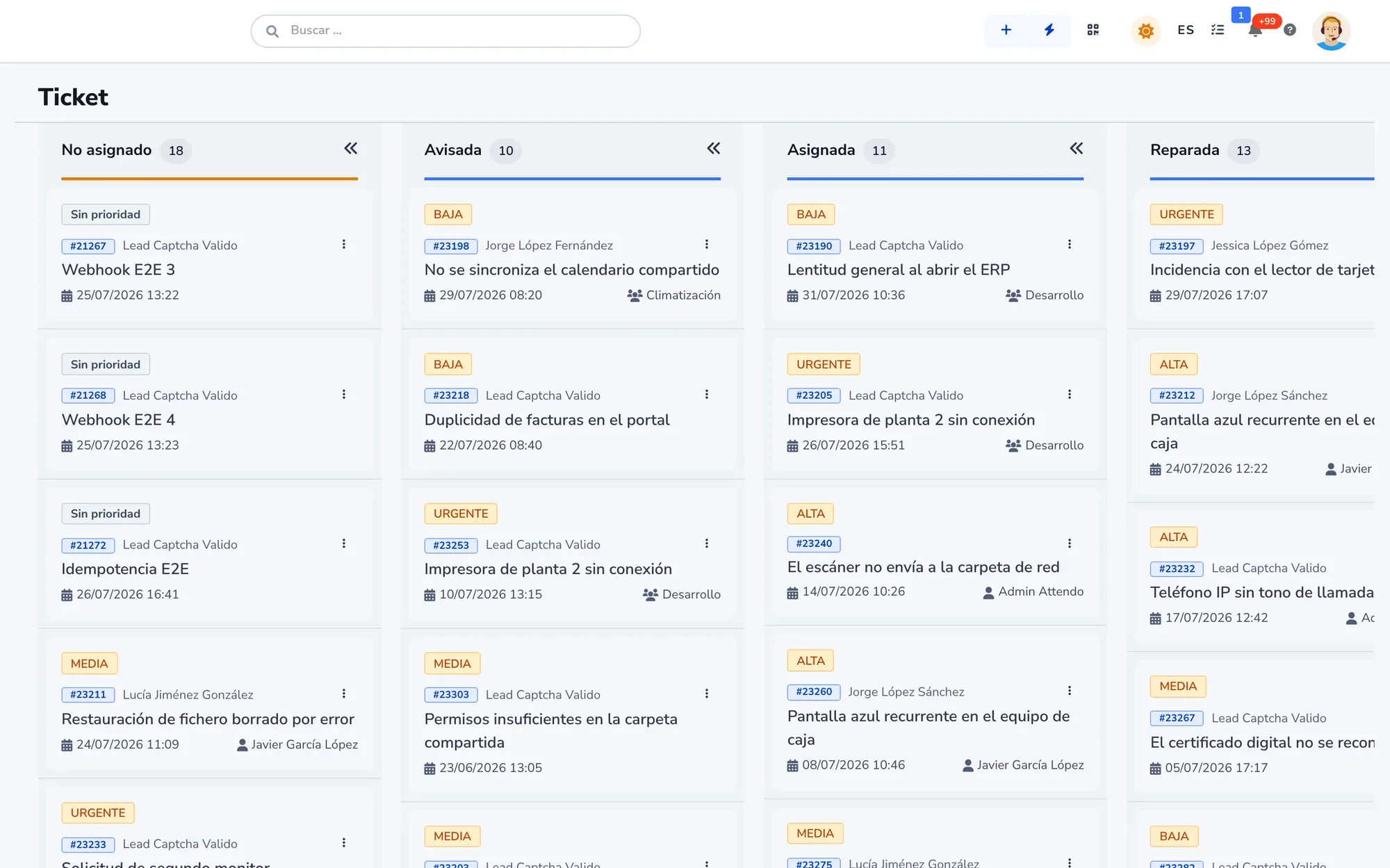
Every run records the path it took, and the status board shows where work gets stuck.
Artificial intelligence
marIA in your processes
Describe the process in plain language and marIA proposes the flow. You review it before saving.
-
Proposes the flow
Or changes to an existing one. If it does not convince you, you undo it.
-
Picks the branch
An AI decision node reads the message and decides whether it is a complaint, an order or an inquiry.
-
Explains a run
If a flow did something unexpected, marIA tells you why, step by step.
-
Prioritizes with agents
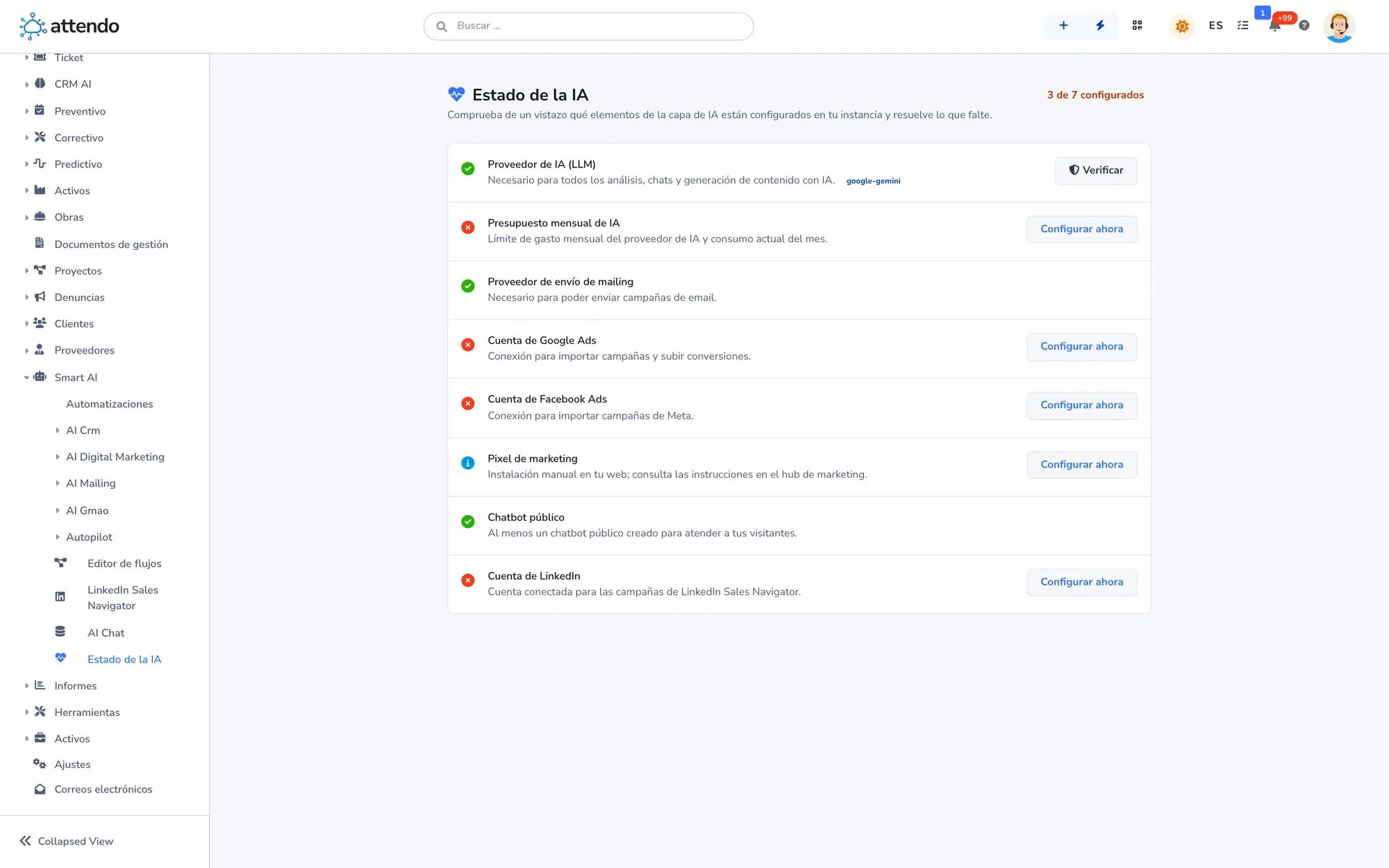
With AI Autopilot (Multiple AI Agents), every document gets a score from 0 to 100 and goes to a person when it crosses a threshold.
What it does not do: run BPF processes, approve on anyone’s behalf or write to your customers by default. Without AI, attendo Flows works in full.
Before and after
From email and spreadsheets to process automation software
What changes when a process stops depending on one person’s memory.
| Email, spreadsheets and loose signatures | attendo Flows | |
|---|---|---|
| Requests | Email, spreadsheets and loose signaturesAn email to whoever handles it | attendo FlowsA form that creates the document |
| Approvals | Email, spreadsheets and loose signaturesIn passing or in an email thread | attendo FlowsBy link from a phone, logged |
| Required steps | Email, spreadsheets and loose signaturesSkipped and found out late | attendo FlowsClosing is blocked until they are met |
| Owner on vacation | Email, spreadsheets and loose signaturesThe process stops | attendo FlowsThe flow passes the work to whoever is in |
| Other systems | Email, spreadsheets and loose signaturesData copied by hand | attendo FlowsWebhooks, API v4 and native connectors |
| Trail | Email, spreadsheets and loose signaturesNobody knows which step it is at | attendo FlowsThe history of every run, step by step |
Integrations
Connected to what you already use
The connectors with Odoo, SAP Business One, Business Central, Holded and humaneo are native. Email, WhatsApp, Teams and Slack come in as triggers, and everything else through API v4, a webhook or MCP.
- Odoo
- SAP Business One
- Business Central
- Holded
- humaneo
- Microsoft 365
- Google Workspace
- Microsoft Teams
- Slack
- API v4
- MCP
Who it is for
For any company, in any industry
These are the most common industries. attendo can be set up for any other: your customer types, your fields and your vocabulary.
You may be looking for
Other ways to use attendo
Project management software
If what you run are projects with dates, a team and costs: Gantt chart, workload and logged hours.
See the pageCompliance software
If your process is about compliance: whistleblowing channel, controls with evidence and signed policies.
See the pageEverything attendo Flows does
Modules, screenshots and full detail on the attendo website.
See attendo FlowsFrequently asked questions
Frequently asked questions
What is process automation software?
It is the software that turns a process run on emails and spreadsheets into steps that run on their own: the request comes in, tasks are assigned, approval is requested and everything leaves a trail.
Is it a BPM tool?
It does the job of one. With Business Process Flow (BPF) you define the stages, the requirements and who approves, and with the Flow Builder you add the rules. No code needed.
Do I need to know how to code?
No. You draw it in a visual editor, or describe it in plain language and marIA proposes the flow. There are also built-in flows ready to switch on.
Can someone approve without a user account?
Yes. The approver gets a link, enters a code and decides from their phone. Who did it and when is logged.
Does it connect to my ERP?
Yes. The connectors with Odoo, SAP Business One, Business Central, Holded and humaneo are native, and everything else connects through API v4, webhooks or MCP.
Can it connect hundreds of apps to each other?
That is not what it is built for. If the data does not go through attendo, an integration platform is the better fit, and attendo connects to it by webhook. Nor does it automate clicks in other programs (RPA).
Do I lose my flows when attendo is updated?
No. Configuration lives in data, not in custom code, and your flows are left untouched.
How much does it cost?
We do not publish prices: it depends on the modules you turn on and the people who use them. How much attendo costs explains what the price depends on, and we send you a firm proposal after looking at your case.
Request a demo
Bring a process that runs on email today
Leave us your details and we will show it to you set up in attendo, with its stages, its approvals and its trail. If it is not a fit, we will tell you.
- With your operation, not a generic demo
- A real person from our team replies
- No cold calls afterwards
Would you rather talk first?
- Phone +34 902 750 677 · +34 910 053 530
- Email sales@attendo.me
- Monday to Thursday 9:30 AM to 6:30 PM and Friday 9:30 AM to 2:30 PM (Spain time)