
Sales CRM
The sales CRM that never lets a deal stall
Leads that come in on their own, a pipeline with deal values and a required next step, quotes the customer accepts, signs and pays online, and marIA preparing every contact. For sales teams in any industry.
- Add a customer in seconds
- Quotes accepted in one click
- AI that scores; you decide
- Cloud-based: nothing to install
- Data hosted in the European Union
- Native iOS and Android app
- AI proposes; you decide
Request a demo with your data
We call you, look at your case and show you attendo with your own data. No commitment.
If this sounds familiar, read on
A forecast nobody can defend
When sales live in email, spreadsheets and each rep’s head, Monday meetings are about impressions and deals go cold without anyone noticing.
- No reply
Leads that go cold
They come in from the website, email or LinkedIn and nobody answers in time.
- No next step
Deals with no next step
No value, no date and no next action. They stall and nobody knows.
- Quote expired
Quotes that expire quietly
They go out as a PDF, nobody knows if they were opened and nobody follows up.
- No reason
Nobody knows why deals are lost
With no loss reason or competitor recorded, losing teaches you nothing.
What it does
The whole sales cycle, in one place
From lead capture to a signed and paid deal, without switching programs and with the rest of the company on the other side of the record.
-
Lead capture
Leads come in from your web forms, email and prospecting, and marIA classifies, scores and assigns them. Each lead is created with its opportunity.
-
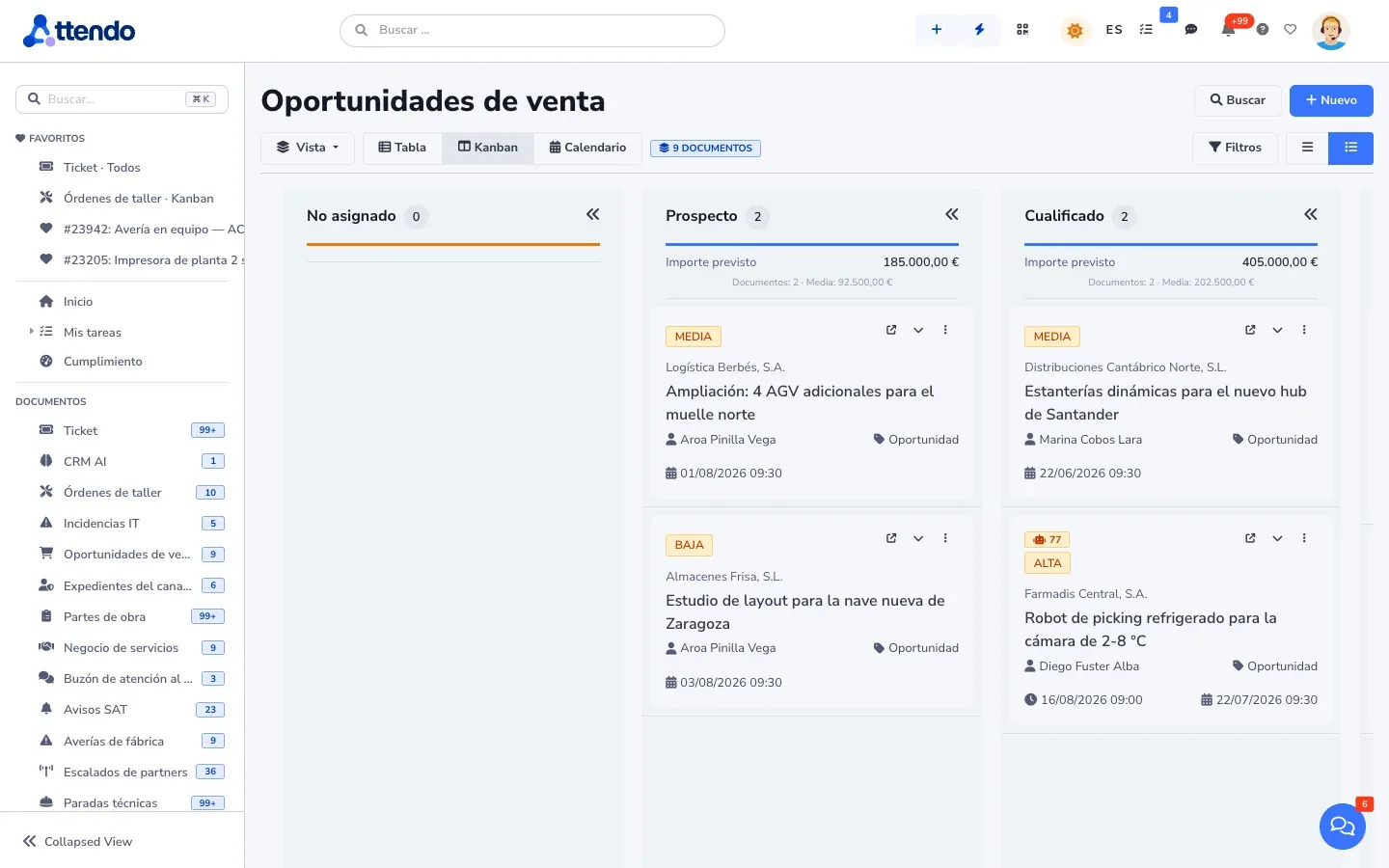
Pipeline with deal values
The board totals the value of each column and groups by rep, industry or source. No deal is saved without its next step.
-
Weighted forecast
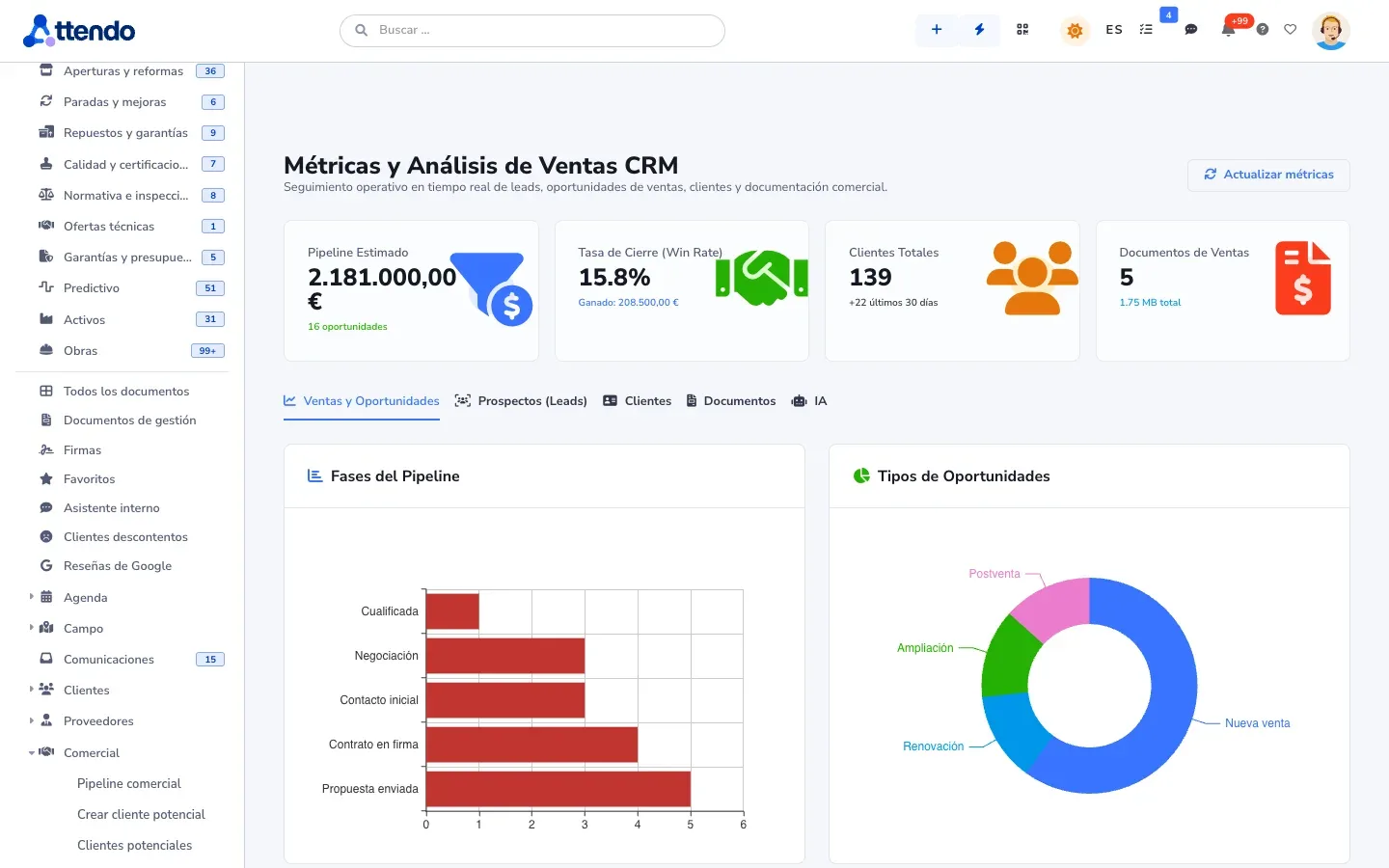
A forecast by probability, and a won and lost report with the close reason and the competitor for each deal.
-
Quotes your way
Stacked discounts, versions, optional lines and a catalog with images, variants and tiered pricing. A quick quote for simple jobs.
-
Web quote
The quote is published as a page with your branding. The customer picks an option, adjusts quantities and accepts. You know when they opened it.
-
Online signature and payment
Signature with attendo eSign from the record, and the deposit collected with attendo Pay through your own payment gateway.
-
Prospecting
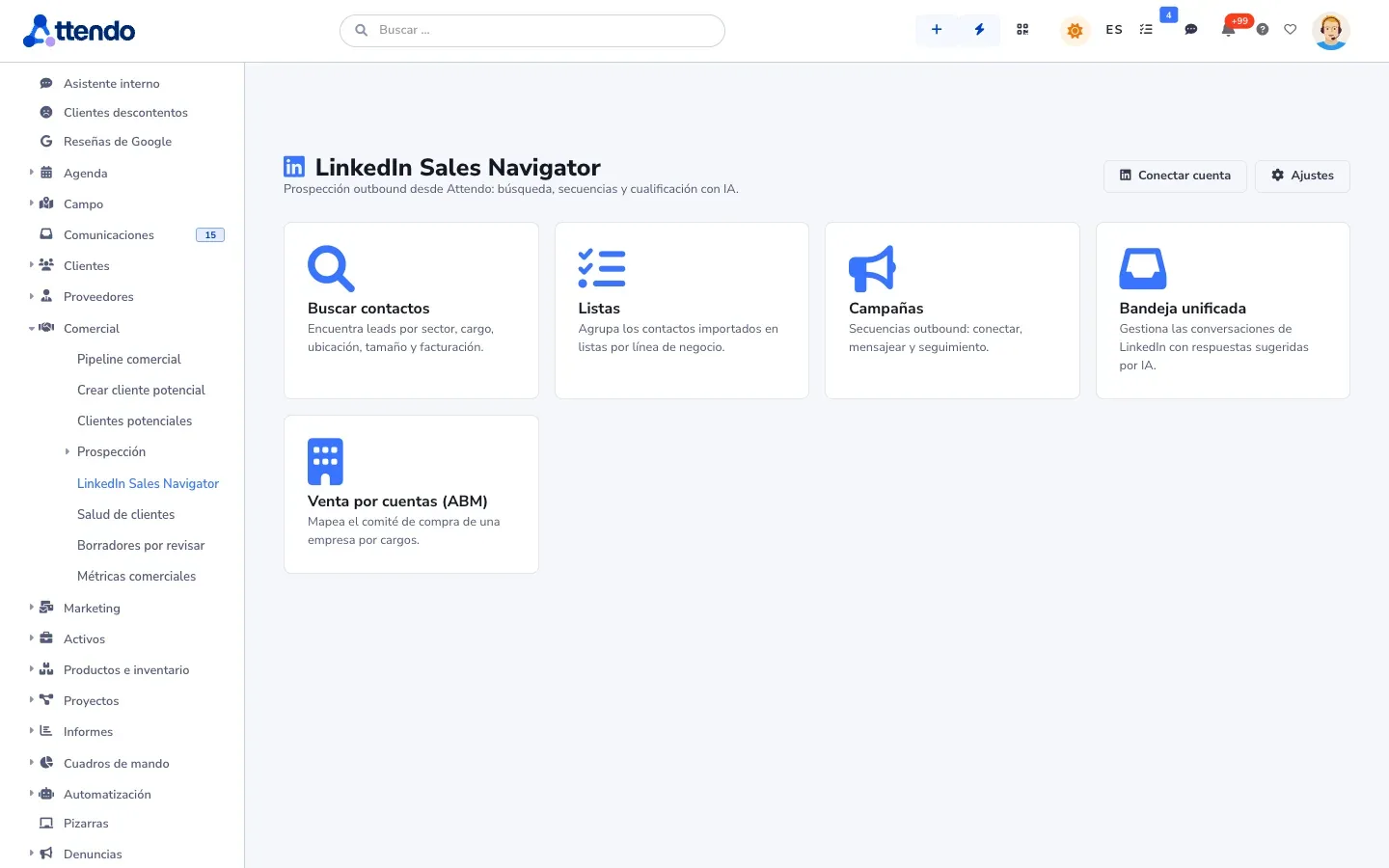
Gathers companies from several sources, removes duplicates and prepares a different email for each one. With LinkedIn Sales Navigator, it runs searches, invitations and messages from each sales rep’s account, with daily limits.
-
All activity on the record
Calls, emails, WhatsApp and meetings in order, with tasks and a calendar synced with Outlook.
How it works
From first contact to order
The journey of a deal, step by step, on the same customer record.
- Step 1
The lead comes in
From the website, email or LinkedIn, with nothing copied by hand.
- Step 2
marIA qualifies it
Filters out spam, scores it from 0 to 100 and assigns it to the right rep.
- Step 3
First contact
With a summary of the lead and a draft reply ready. A person sends it.
- Step 4
Quote with options
Versions and optional lines, published as a web quote with your branding.
- Step 5
The customer accepts
Picks an option, signs and pays the deposit from their phone.
- Step 6
Handed over to operations
The order carries on in the same platform: nobody retypes what was sold.
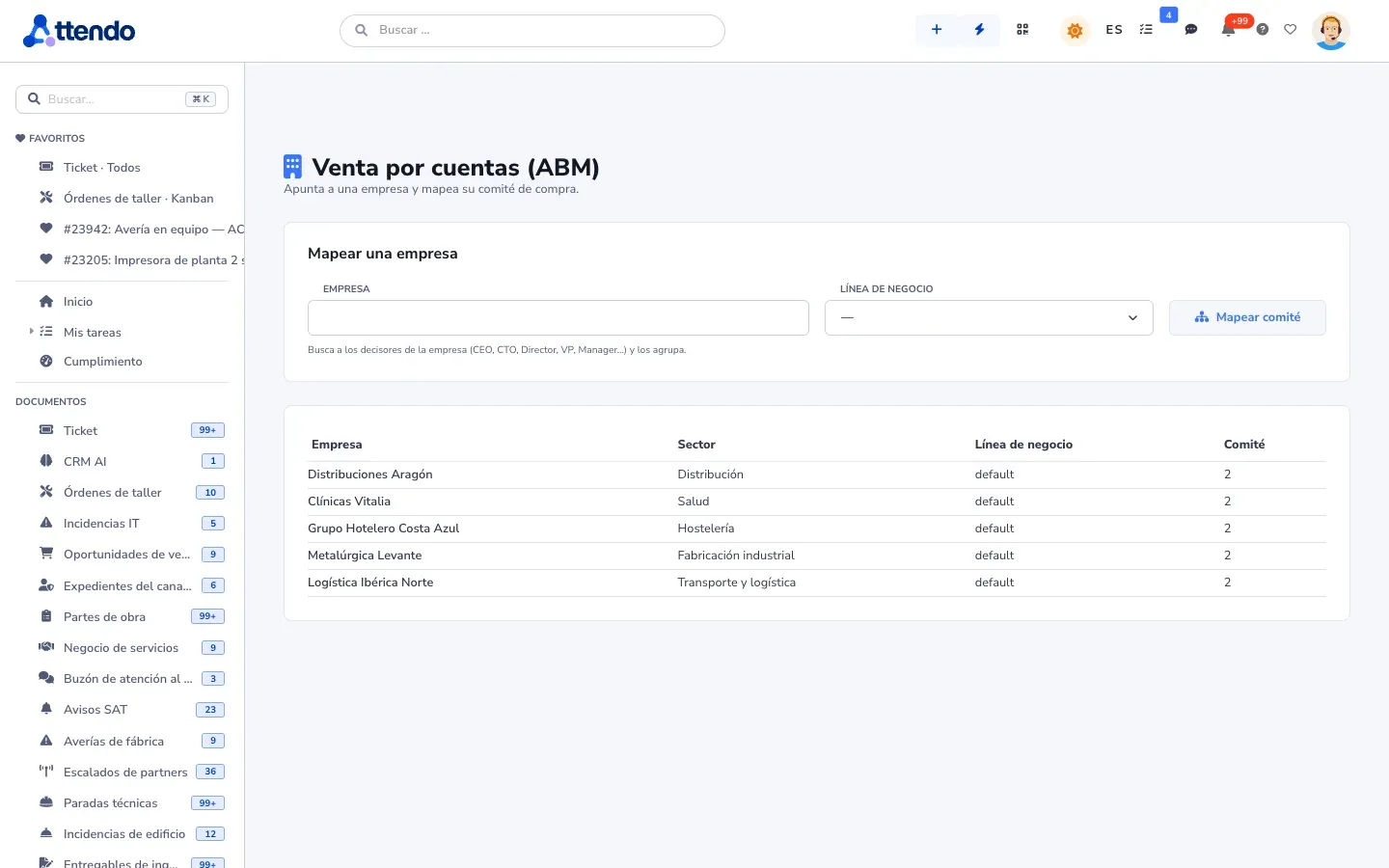
Artificial intelligence
marIA in your sales team
Before you call, you already know their pain. And whatever is sent, a person sends it.
-
Filters and scores leads
Filters out spam, classifies, scores from 0 to 100 and assigns to the right rep.
-
Prepares the rep
A lead summary, their likely pain, a SWOT and a proposal, in one panel.
-
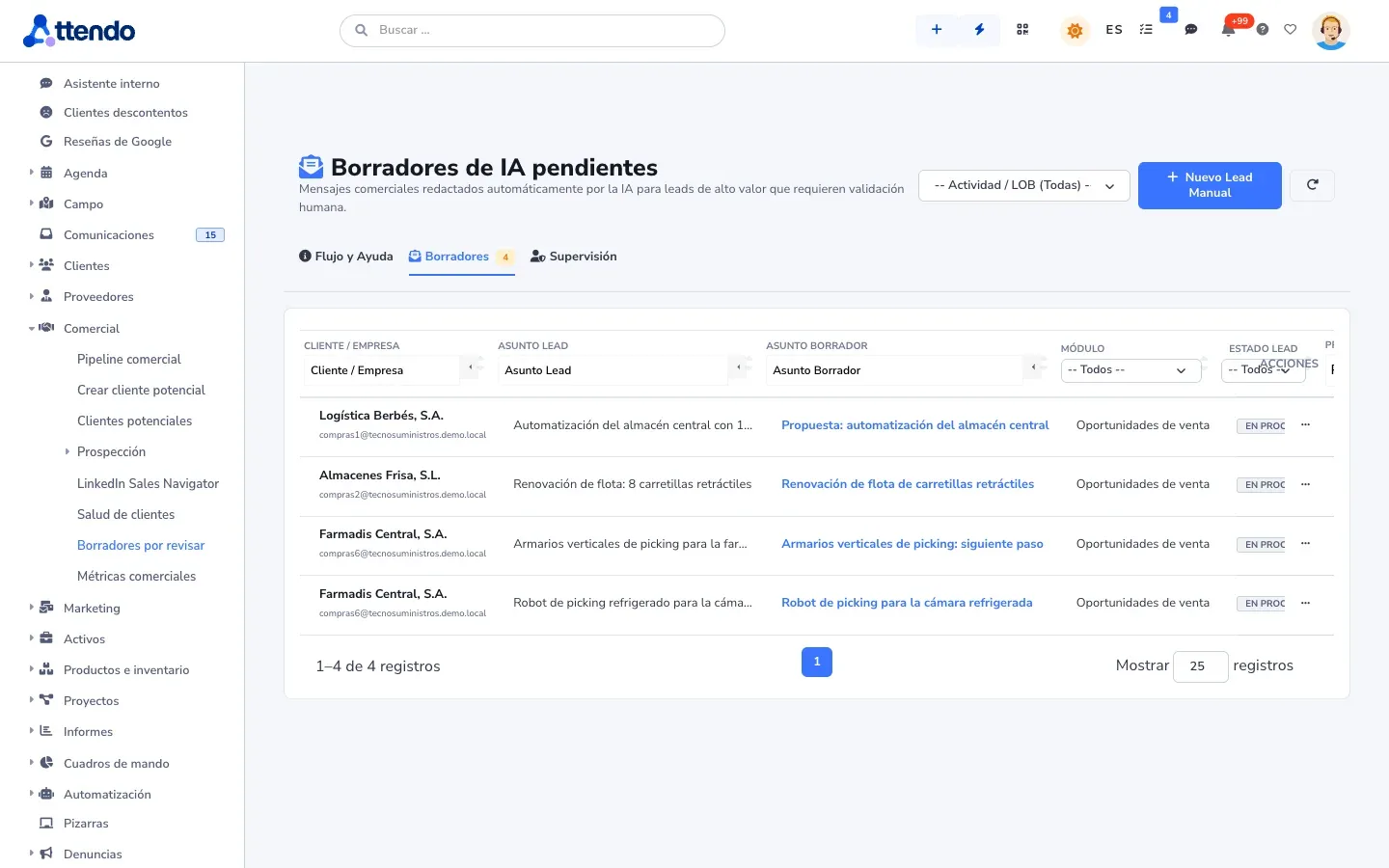
Writes the draft
The reply waits for approval. A person sends it.
-
Handles your website chat
The chatbot qualifies the visitor and hands over to a person when needed.
What it does not do: close deals or write to your customers on its own. Automatic sending only exists for low-score leads, only if an administrator turns it on, and it is logged.
Before and after
From spreadsheets and email to a sales CRM
What changes when sales stop living in each rep’s inbox.
| Spreadsheets and email | attendo sales CRM | |
|---|---|---|
| Leads | Spreadsheets and emailIn the inbox of whoever received them | attendo sales CRMCome in on their own, scored and assigned |
| Follow-up | Spreadsheets and emailFrom memory | attendo sales CRMA required next step on every deal |
| Forecast | Spreadsheets and emailA sheet rebuilt every Monday | attendo sales CRMWeighted by probability, up to date |
| Quotes | Spreadsheets and emailA PDF nobody knows was opened | attendo sales CRMWeb quote with open alerts, signature and deposit |
| Loss reason | Spreadsheets and emailNot recorded | attendo sales CRMReason and competitor on every close |
| What happens after the sale | Spreadsheets and emailIn another program | attendo sales CRMOn the same record: order, service and what is billable |
Integrations
Connected to what you already use
Your Microsoft 365 or Google email and calendar, WhatsApp and your connected ERP, which issues the invoices, with no retyping. LinkedIn Sales Navigator, through a third-party provider. attendo is not an ERP or accounting software.
- Microsoft 365
- Outlook
- Google Workspace
- LinkedIn Sales Navigator
- Odoo
- Holded
- Business Central
Who it is for
For any company, in any industry
These are the most common industries. attendo can be set up for any other: your customer types, your fields and your vocabulary.
You may be looking for
Other ways to use attendo
Frequently asked questions
Frequently asked questions
What is a sales CRM?
It is the CRM built for the sales team: it captures and qualifies leads, organizes the pipeline, forecasts sales and prepares quotes. attendo adds signature, deposit collection and the handover to operations without switching programs.
How is it different from a general CRM?
A sales CRM focuses on selling. A general CRM manages the whole customer relationship, including after the sale. In attendo they are the same platform: you turn on what you need.
My reps do not enter data. What is different?
Adding a record takes seconds, the next step is required and marIA writes the drafts. Logging costs less than not logging.
Does it integrate with LinkedIn?
Yes, with LinkedIn Sales Navigator for prospecting. attendo automates searches, invitations and messages from each sales rep’s LinkedIn account, through a third-party provider: it is not LinkedIn’s official API. Each user first accepts a legal notice, and there are daily limits. If LinkedIn restricts the account, the risk falls on that account.
Does the AI write to my customers on its own?
Not by default. Drafts wait for approval. Automatic sending only exists for low-score leads, if an administrator turns it on, and it is logged.
Can I collect the deposit online?
Yes, with attendo Pay through your own payment gateway. The card never goes through attendo.
Can I bring my customer base?
Yes. Customers, contacts and deals from Excel or CSV.
How much does it cost?
It depends on the modules and the people who use it. We do not publish prices on the website: How much attendo costs explains what the price depends on, and we send you a firm proposal after looking at your case.
Request a demo
Try it with your pipeline
Leave us your details and we will show you attendo with your sales stages, your quotes and your leads. If it is not a fit, we will tell you.
- With your operation, not a generic demo
- A real person from our team replies
- No cold calls afterwards
Would you rather talk first?
- Phone +34 910 053 530
- Email sales@attendo.me
- Monday to Thursday 9:30 AM to 6:30 PM and Friday 9:30 AM to 2:30 PM (Spain time)